Table Of Content
Related Posts

Table Of Content
5 Steps to Detect and Block Customer Data Uploads to Personal Google Drive (With Real Examples)
-
September 15, 2026
-
Quick Answer:
AI Security Posture Management (AISPM), also called AI Posture Management, is the continuous process of discovering, monitoring, and controlling how AI tools, models, and agents interact with your company's data and systems. It covers everything from spotting an unapproved AI app on someone's laptop to blocking a customer record from being pasted into a public chatbot. Most teams that manage AI posture well pair a discovery layer with policy enforcement at the point where employees actually use AI, which is the endpoint.
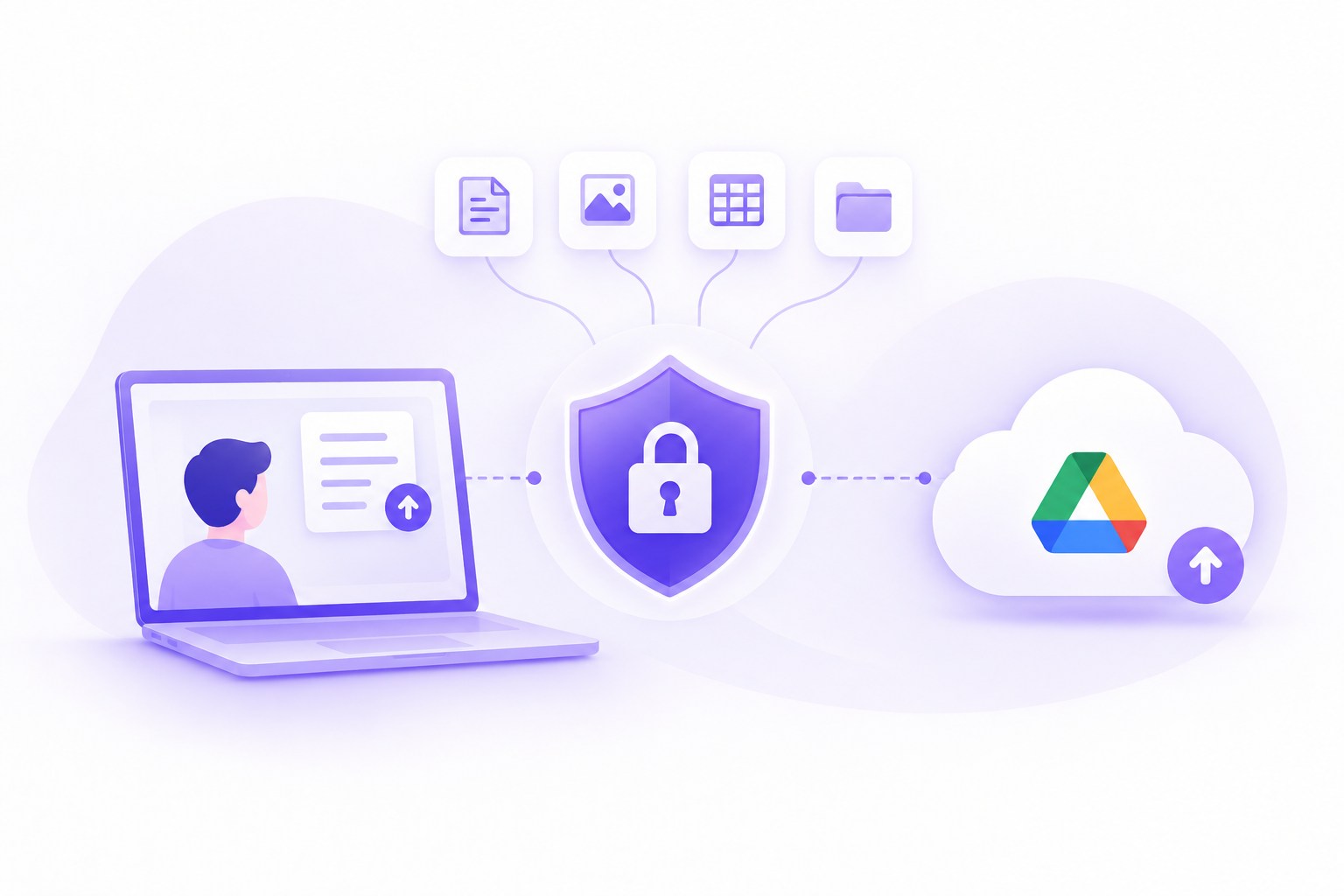
Stopping customer data from landing in personal Google Drive accounts requires five things working together: endpoint-level visibility into file movement, context-aware data classification, real-time policy enforcement at the point of upload, monitoring of Google Drive’s own upload APIs (not just the browser), and audit-ready data lineage records. Endpoint data loss prevention is the only approach that catches this reliably because the upload can happen through a browser tab, a synced desktop folder, or a direct API call, and a network tool or SaaS-only tool will not see all three. This article walks through each step with real incidents that show why the threat is not hypothetical.
TL;DR
- Personal Google Drive uploads are one of the most common insider data exfiltration paths because Drive is trusted, familiar, and rarely blocked outright by IT.
- The Google Drive API supports resumable uploads of files up to 5 TB via chunked HTTP PUT requests, a capability that can be scripted to move large data sets quietly and bypass browser-based DLP.
- A landmark trade-secret prosecution shows how an employee converted source files to PDF inside a notes app specifically to evade DLP before uploading them to personal cloud storage — a format-conversion trick that works against any personal cloud destination, Drive included.
- Effective detection requires endpoint-native DLP, not just network or cloud-app monitoring, because the relevant activity spans file, clipboard, browser, and API layers.
- HIPAA, PCI DSS, GDPR, and SOC 2 all treat unmanaged uploads of regulated data to personal cloud storage as a compliance failure, not just a security incident.
About the Author: Kitecyber builds endpoint-native DLP for fintech, healthcare, insurance, and GenAI companies that need to see and stop exactly this kind of data movement in real time; this guidance reflects patterns observed across regulated customers protecting customer records, PHI, and cardholder data from uncontrolled personal cloud uploads.
Why Does Personal Google Drive Keep Showing Up in Data Exfiltration Incidents?
Personal Google Drive is attractive to someone moving data out of a company precisely because it looks like ordinary, everyday activity. Employees use Google Drive constantly for legitimate work, so a browser tab open to drive.google.com or a file sync running in the background rarely triggers suspicion the way a USB drive or an unfamiliar file-sharing site would. That familiarity is the mechanism, not a coincidence: security teams build controls around unusual tools, and Drive is not unusual.
Two real prosecutions show how this plays out. In one healthcare case, a behavioral analyst at a Tennessee autism treatment center was terminated and had his access to the clinic’s patient records revoked — records the clinic kept in a shared, password-protected Google Drive account. Weeks later he regained access through a shared login that had not been fully locked down, investigators traced the unauthorized access back to his home, and patient records were later recovered from his personal hard drive. He was sentenced to federal prison for computer fraud and aggravated identity theft. Google Drive was not the exotic part of that story; it was the everyday tool that held the sensitive data and quietly became the exfiltration surface.
The second case shows how far someone will go to beat detection. A former Google software engineer, convicted in January 2026 of economic espionage and theft of trade secrets, took confidential designs for Google’s AI infrastructure — more than 500 files in the original indictment, a total prosecutors ultimately put at over 2,000 documents. To evade Google’s data loss prevention controls, he copied proprietary source files into the Apple Notes app on his corporate MacBook, converted the notes to PDFs, and uploaded them to a personal Google cloud account over roughly a year. The destination there was cloud storage rather than Drive specifically, but the technique is the point: converting a file into a new format defeats content-matching DLP no matter where the file ends up — including a personal Drive. Neither case involved malware or a network breach. Both involved a trusted person using trusted tools in ways that ordinary file-server permissions and firewall rules were never designed to catch.
What Makes Detecting Personal Drive Uploads Technically Difficult?
Detecting this activity is hard because personal Drive uploads happen through more than one technical path, and most DLP tools were built to watch only one. The Google Drive API exposes three distinct upload methods: Simple uploads (uploadType=media) for small files, Multipart uploads that combine metadata and file content in a single request, and Resumable uploads that split large files into sequential chunks sent via HTTP PUT requests. Resumable uploads can move files as large as 5 TB.
That resumable, chunked design exists so a large file transfer can survive a dropped connection and pick up where it left off. It also means someone can script a slow, steady exfiltration of a large data set in small pieces, none of which look like a dramatic single event to a tool watching for large file transfers. A network security tool inspecting web traffic may see encrypted chunks moving to a Google IP range and have no way to tell whether that traffic is a legitimate business sync or a scripted exfiltration job. This is exactly the gap that endpoint data loss prevention is built to close: instead of guessing from network traffic, it observes the action at the source, on the device, where the file, the user, and the destination are all visible at once.
Step 1: Establish Endpoint-Native Visibility Into Every Upload Path
The first step is seeing the upload happen, regardless of which path it takes. Endpoint DLP software installed as a lightweight agent can observe file access, clipboard activity, browser uploads, and background sync processes on the same device, which is the only vantage point where all of these converge. Network-layer tools watching encrypted traffic cannot distinguish a Google Drive sync of an approved shared folder from a sync of a folder someone just populated with customer export files. The endpoint agent can, because it sees the file’s origin and the application initiating the transfer, not just the destination IP address.
Step 2: Classify the Data by Context, Not Just Keywords
Once uploads are visible, the second step is knowing which ones matter. Data classification software that relies only on regex patterns, like matching a string of digits that looks like a credit card number, misses documents where the same sensitive information appears as a table, an export, or a screenshot, and it flags plenty of harmless files that happen to contain numbers. Context-aware classification looks at the document’s structure, its source system, and how it is labeled internally, so a customer export pulled from a CRM is recognized as sensitive even without a keyword match. This step is what separates a usable insider risk management program from one that drowns analysts in false positives.
Step 3: Enforce the Right Action at the Point of Upload
Detection without enforcement is just a longer incident report. The third step is applying a real-time decision, block, warn, coach, log, or isolate, at the exact moment a user or process attempts the upload, before the file leaves the device. A “coach” response, for example, can show the employee a message explaining that customer PII cannot go to personal storage and suggesting the approved shared drive instead, which resolves most cases without a ticket or an investigation. Blocking should be reserved for clear policy violations involving regulated data, since over-blocking legitimate work is what causes employees to look for workarounds in the first place.
Step 4: Monitor API-Level Uploads, Not Just the Browser
Building on the endpoint visibility from Step 1, a harder version of the same problem is uploads that never touch a browser at all. Someone with basic scripting knowledge can call the Google Drive API directly using batch processes or a simple resumable upload script, moving files without ever opening drive.google.com. A DLP approach that only watches browser tabs and known cloud-app domains will miss this entirely. Endpoint DLP needs to inspect outbound file activity at the process and file-system level so it catches a Python script uploading customer records with the same rigor it applies to a person dragging a file into a browser window.
Step 5: Maintain Data Lineage for Investigation and Compliance
The final step is recording where sensitive data has been, not just stopping it once. Data lineage tracking creates a chain of custody, showing when a customer record was created, who accessed it, what modifications were made, and every attempted movement, allowed or blocked. This matters for two reasons. First, it turns a vague suspicion into evidence during an insider threat investigation. Second, it supports audit requirements: none of the major frameworks name Google Drive specifically, but each requires controls over where regulated data is allowed to go. HIPAA requires strict access controls, PCI DSS requires technical controls to keep cardholder data within its defined environment, GDPR restricts unauthorized processing of personal data in shadow IT applications, and SOC 2 requires auditable controls against unauthorized exfiltration. Together they make an unmanaged upload of regulated data to any personal storage location a documented violation, and lineage records are what an auditor or a regulator will ask for after any incident involving customer data.
How Does Kitecyber Apply These Five Steps in Practice?
Kitecyber’s endpoint-native DLP platform runs these five steps continuously through a model of See, Decide, Enforce: one lightweight agent observes file, clipboard, browser, and email activity on Windows, macOS, and native Linux endpoints, classifies data by document context rather than regex alone, and enforces the correct response, block, warn, coach, or log, at the point of upload before data reaches a personal Drive account. Because the same agent also includes ZTNA and SaaS governance capabilities that support DLP enforcement, it can flag both a browser-based upload and a script hitting the Drive API from the same device, which is where point solutions built for only one channel fall short. For regulated customers in fintech, healthcare, and insurance, this also means the same deployment helps produce the access-control and exfiltration-prevention evidence that PCI DSS and HIPAA audits ask for, without adding a second agent.
About Kitecyber
Kitecyber is a data loss prevention company built for the GenAI era, delivering endpoint-native DLP through one lightweight agent that covers files, clipboard, browser uploads, email, SaaS and cloud apps, GenAI paste and upload activity, and removable media. It serves fintech, healthcare, insurance, manufacturing, and AI-native companies that need real-time enforcement without deploying a separate tool for every channel. Because the agent also includes secure web gateway, ZTNA, and SaaS governance, customers can address more SOC 2, HIPAA, and PCI DSS controls from a single deployment. Organizations use Kitecyber to keep customer data inside approved systems as AI copilots and autonomous agents change how quickly that data can move.
To see how endpoint-native DLP stops customer data from reaching personal Google Drive accounts in your environment, visit Kitecyber.
See verified customer reviews of Kitecyber on G2 and SourceForge.
References
- Get started with Customer Match | Google Ads API | Google for Developers (developers.google.com)
Frequently Asked Questions
No. Blocking the domain outright stops legitimate business use and pushes employees toward less visible personal storage or removable media, and it does nothing against script-based API uploads that never touch a browser.
Most incidents involve intent, but accidental exposure happens too, such as an employee syncing a work folder to a personal Google account for convenience without realizing it contains customer PII.
Network tools can flag traffic to Google's domains, but they cannot reliably distinguish a sanctioned upload from an unauthorized one, and encrypted, chunked resumable uploads make content inspection unreliable at the network layer.
The same endpoint visibility needed to catch a Drive upload also detects when an employee pastes customer data into a chatbot or when an autonomous AI agent reads a file and forwards it somewhere unapproved, since both are data movement events at the endpoint.
Data lineage tracking is the record of where a piece of sensitive data has traveled, who touched it, and what happened to every access attempt; it is what turns a DLP alert into evidence usable in an investigation or audit.
HIPAA, PCI DSS, GDPR, and SOC 2 do not name Google Drive specifically, but each requires controls that make unauthorized transfer of regulated data to any unmanaged personal storage location a documented violation.

Ajay Gulati
Ajay Gulati is a passionate entrepreneur focused on bringing innovative products to market that solve real-world problems with high impact. He is highly skilled in building and leading effective software development teams, driving success through strong leadership and technical expertise. With deep knowledge across multiple domains, including virtualization, networking, storage, cloud environments, and on-premises systems, he excels in product development and troubleshooting. His experience spans global development environments, working across multiple geographies. As the co-founder of Kitecyber, he is dedicated to advancing AI-driven security solutions.