Table Of Content



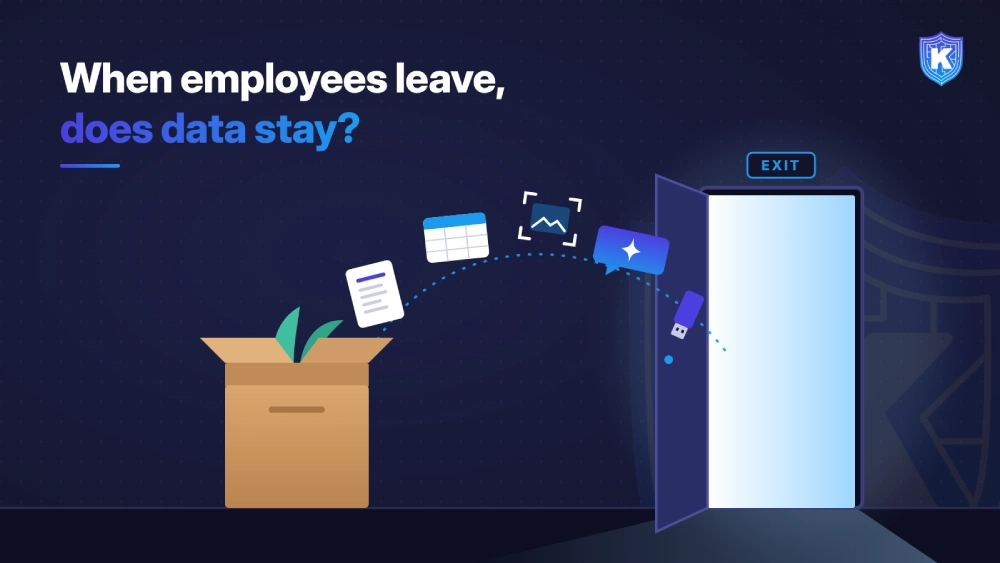
When Employees Leave, Does Your Data Stay? Stopping Departing-Employee Data Loss in the AI Era
-
November 12, 2026
-
Two weeks' notice, two weeks of risk
Here is a scenario for a healthcare staffing firm.
Marco is a regional sales director at a 1,200-person healthcare staffing firm. He has accepted an offer from a competitor but hasn’t told anyone yet.
Over the next ten days, he exports his accounts from the CRM to a spreadsheet. He pastes the top 50 rows into his personal AI chatbot account and asks for a one-page summary of each client’s rates, renewal dates and decision makers. He screenshots the pricing model, saves both files to a personal cloud folder and, for good measure, copies them to a USB drive.
On day eleven he resigns. HR files the offboarding ticket, and IT disables his accounts on his last day. Every step looked routine. The data left before anyone knew there was a reason to look.
The problem: data leaves before the employee does
- 92% of employers had employees leave for a competitor in the prior 12 months.
- 55% of those employers reported a restrictive covenant or confidential information violation.
- 37% said employees leaving for a competitor copied, downloaded or removed confidential information.
- 18% experienced coordinated group exits, where several people leave together.
Insider incidents are expensive even when nobody means harm. The Ponemon Institute’s 2025 Cost of Insider Risks Global Report put the average annual cost of insider risk at $17.4 million for the organizations studied, with 81 days on average to contain an incident. Negligence or mistakes caused 55% of incidents, and malicious insiders 25%.
The headlines show how it plays out. In August 2025, xAI sued a former engineer, alleging he copied confidential files to a personal device before joining a competitor and renamed and compressed files to hide it. The case involves allegations, not findings, but the pattern is familiar: personal devices, personal storage and steps to avoid detection.
For a mid-size company, one lost customer list or pricing model can mean lost accounts, a lawsuit and a breach-notification question all at once.
How Gen AI changed it
- Personal AI accounts are the norm. A Gartner survey found over 57% of employees use personal Gen AI accounts for work, and 33% admit putting sensitive information into unapproved tools. Verizon's 2026 DBIR found 67% of users reach AI services with non-corporate accounts on corporate devices.
- Paste is the new upload. A departing employee doesn't need to move a file. They can paste rows into a chatbot, ask for a summary and walk away with the insight, not the spreadsheet.
- Data gets reshaped. Screenshots, AI summaries, format conversions and compressed archives all change how the data looks, so tools that match on file names or exact patterns lose track of it.
- It's already showing up. In the Littler survey, 2% of employers said departing employees used AI tools to access, extract or transfer confidential information. That share is small today, but it is now measured.
Why legacy approaches fall short
- Offboarding checklists start too late. Disabling accounts on the last day does nothing about data copied in the weeks before notice.
- Pattern-based DLP misses reshaped data. Regex rules catch a column of credit card numbers. They don't recognize an AI-written summary of your top accounts, or a screenshot of a pricing model.
- Network-only and cloud-proxy tools have blind spots. They don't see USB copies, local file moves or devices working off the network, and they often can't inspect collaboration and end-to-end encrypted apps.
- Block-everything policies backfire. Locking down every upload frustrates the many staff doing normal work, and determined people find another path.
- Heavy insider-risk programs need staff SMEs don't have. Tools that need months of baselining and a dedicated analyst team rarely get past the pilot at a 500-person company.
What a modern approach looks like
- 1. Know where sensitive data lives. Discover and classify customer lists, pricing, PHI, PII and source code on endpoints before anyone leaves.
- 2. Watch data movement, not just people. Flag when sensitive data heads to personal cloud storage, USB, personal AI accounts or personal email, whoever is doing it.
- 3. Follow the data through changes. Track content when it is copied, screenshotted, converted or summarized, so a reshaped file is still recognized.
- 4. Use behavior as context. A spike in downloads or exports, especially near a resignation, is a signal to look closer, not proof of guilt.
- 5. Respond in proportion. Coach with a warning for low-risk moves, block the high-risk ones and keep an evidence trail for HR and legal.
- 6. Connect HR and security. When notice is given, raise monitoring for that user and review the prior 30 to 90 days of activity.
How Kitecyber helps
- Know what's sensitive. Data Shield discovers and classifies data at rest on endpoints across 80+ categories, including PII, PHI, PCI data, intellectual property and source code. Classification combines on-device processing with LLM-based understanding, at 90%+ accuracy.
- Cover the exits people actually use. Policies apply to USB and removable media, network drives, cloud storage, local file sharing, SaaS uploads and downloads, real-time copy and paste, Teams, Zoom and Slack, and end-to-end encrypted apps. They keep working offline.
- Close the AI paste path. Kitecyber tracks sensitive data pasted or uploaded into ChatGPT, Claude and Gemini and can block it before it leaves the device. Shadow AI discovery shows which AI apps each user relies on.
- Follow reshaped data. Data lineage tracks content when it is screenshotted, encoded or converted, so a customer-records spreadsheet stays governed after it changes form.
- Spot the pattern early. UEBA uses AI-driven behavioral anomaly detection to surface unusual activity, and malicious insider detection adds pattern recognition on top. Incident reports are generated in minutes.
- Respond in proportion. Allow, warn or block at the point of contact, so most employees see a coaching prompt, not a wall.
What day one looks like. Deployment takes about a day, with pre-built compliance policies and under 2% CPU overhead, on corporate and BYOD endpoints. Day one starts with discovery: where customer lists, pricing and code live on laptops, which AI apps and personal storage services are in use, and which data flows break policy. From there, set warn-then-block rules for the highest-risk channels.
SME decision-maker checklist
- Map your crown jewels. Can you name the five data sets that would hurt most if a departing employee took them, and do you know which laptops hold copies?
- Close the gap between notice and last day. Does HR tell security when someone resigns, and does anything change in monitoring that day?
- Check the quiet channels. Would you see a USB copy, a personal cloud upload or a paste into a personal AI account today?
- Test for reshaped data. Ask any vendor: if someone screenshots a customer list or has an AI summarize it, is it still recognized as sensitive?
- Review the look-back. Can you pull the last 30 to 90 days of data movement for a user who just resigned, in minutes rather than weeks?
- Prefer coaching over walls. Can policies warn first and block only the high-risk moves, so normal work isn't disrupted?
- Ask about staffing. How many people does the tool need to run day to day, and how long until it's live?
The compliance angle
- HIPAA: PHI copied to a personal device or account by someone without a continuing need may be an impermissible disclosure that triggers breach-notification analysis.
- PCI DSS: Cardholder data must stay inside the defined environment, with access restricted by business need and monitored.
- GDPR and U.S. state privacy laws: Customer personal data leaving with an employee can count as a personal data breach, with notification deadlines (72 hours to the regulator under GDPR).
- SOC 2 and ISO 27001: Both expect controls for access removal at termination, asset return and monitoring of data transfers. Auditors will ask for evidence.
- CMMC: Controlled unclassified information must be protected on every endpoint, including during a separation.
Key takeaways
- The riskiest window is before an employee resigns, not after, so offboarding checklists alone come too late.
- Gen AI adds quiet exits: personal AI accounts, pasted rows and AI summaries that reshape data beyond what pattern matching recognizes.
- Watching data movement on the device, with context and proportionate responses, protects what matters without slowing everyone else down.

Ajay Gulati
Ajay Gulati is a passionate entrepreneur focused on bringing innovative products to market that solve real-world problems with high impact. He is highly skilled in building and leading effective software development teams, driving success through strong leadership and technical expertise. With deep knowledge across multiple domains, including virtualization, networking, storage, cloud environments, and on-premises systems, he excels in product development and troubleshooting. His experience spans global development environments, working across multiple geographies. As the co-founder of Kitecyber, he is dedicated to advancing AI-driven security solutions.