



Table of Content
The Agent Was Retired. Its Keys Weren't: Offboarding AI Agents Starts on the Device
-
November 15, 2026
-
Kitecyber | Data & Gen AI Security
Every company has an exit checklist for people. Almost none has one for AI agents, and agents leave more behind than people do.
When an employee leaves, the routine is familiar: collect the laptop and badge, revoke logins, reassign open work, keep the records. In a 12 November 2026 column for Help Net Security, Sprinto CEO Girish Redekar described AI agents as “vendor employees who never sleep and never get offboarded.” Deleting an agent removes its name from a screen. It does not remove the credentials it held, the work it left running or the decisions someone may ask about later.
The scale makes this urgent:
- In a 10 November interview, CrowdStrike noted that some organizations already see 140 to 150 agents for every employee.
- 1Password's survey of 1,000 security and engineering staff found 40% of developers grant agents persistent access to systems and secrets, and about a quarter hardcode credentials into scripts or config files.
- Cyberhaven Labs reported that adoption of endpoint-based agentic AI apps doubled year over year, reaching 60% in May 2026.
As Redekar put it, an agent can disappear from the inventory months before its credentials leave the permissions list.
What an agent leaves on a laptop
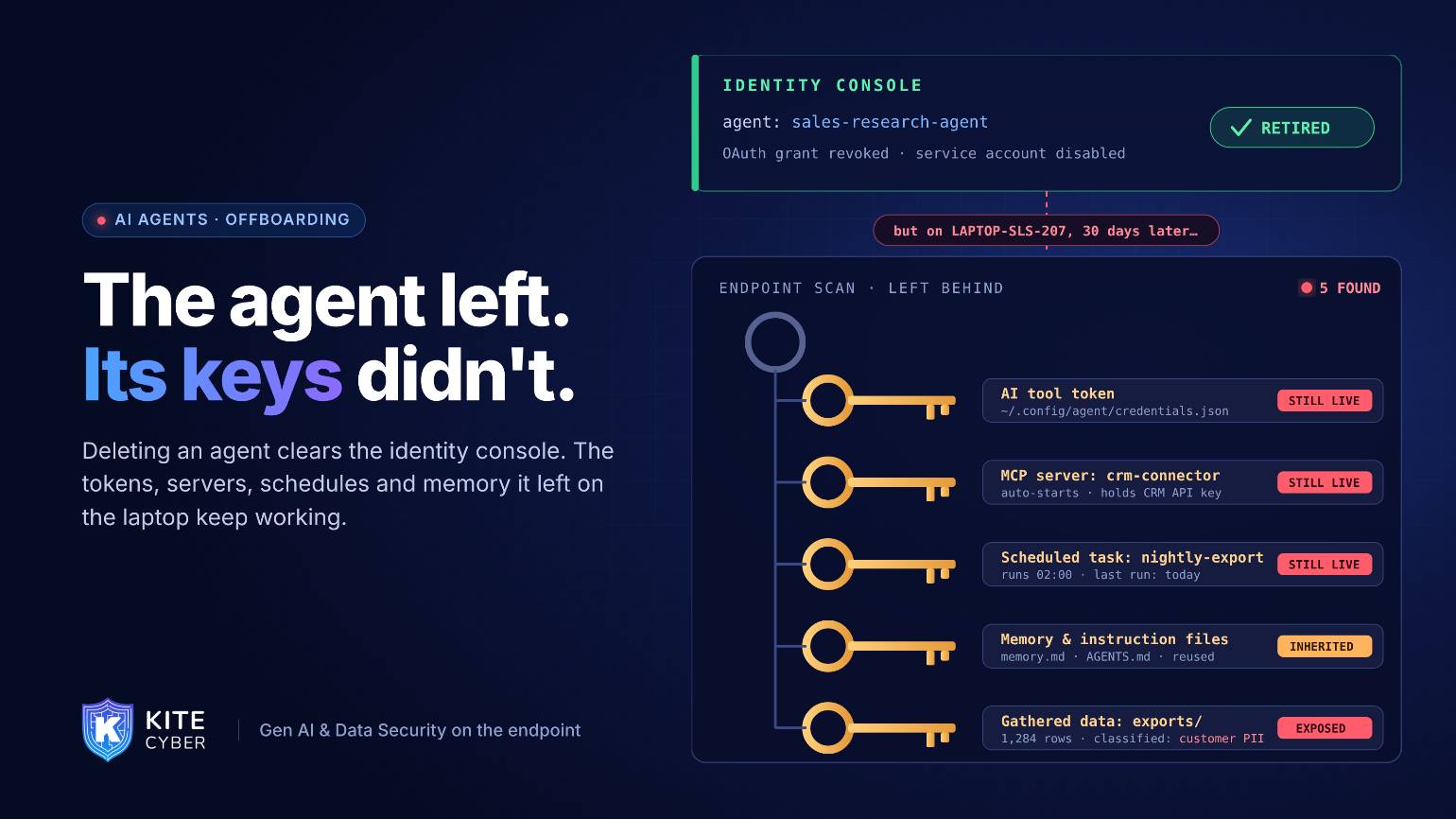
Most retirement guidance, such as Nudge Security’s 4 November guide, focuses on the identity layer: revoke OAuth grants, rotate API keys, disconnect MCP servers, disable service accounts. All of that is right. But many agents run on endpoints, and the device keeps its own copy of the agent’s life:
- 1.Cached tokens and keys in config files, environment variables and shell histories. The wfx-loot stealer reported on 12 November specifically collects tokens for OpenAI, Anthropic, Cursor and Copilot from these places.
- 2.MCP server registrations that still start on demand and still hold credentials for other systems.
- 3.Scheduled tasks, background services and watchers that keep running after the agent's owner thought it was gone.
- 4.Memory files, instruction files and installed skills that the next agent on the device may read and trust.
- 5.Data the agent gathered: exports, summaries and synced folders that now sit outside their original access controls.
None of these show up in an identity console. All of them are visible on the device.
Two exits to plan for
When an agent is retired. Revoke at the identity layer, then confirm on every device that the process no longer runs, its tokens are gone, its MCP registrations are removed and nothing it scheduled still fires.
When the person who ran it leaves. Nudge Security recommends reviewing every agent running under a departing employee’s OAuth credentials, moving business-critical ones to a service account with a new owner and revoking the rest. On the device side, the same review should list every agent, assistant and local server the person ran, and what data each one could reach.
An agent exit checklist
- 1.Inventory before you retire. Know which devices ran the agent, under which user, and what it could read.
- 2.Prefer short-lived, task-scoped credentials so there is less to collect later.
- 3.Revoke centrally, then verify locally. Check each device for leftover tokens, registrations, scheduled tasks and running processes.
- 4.Clear agent memory and instruction files so the next tool doesn't inherit stale or poisoned context.
- 5.Keep the record.Store what the agent did and what it touched for as long as you keep records for the people it acted for.
- 6.Test after shutdown. Watch for any process, connection or credential use tied to the retired agent for at least a few weeks.
Where Kitecyber fits
Kitecyber runs on the endpoint and combines device posture, operating system and process activity, user activity, network activity and data classification. That gives security teams a per-device view of which AI agents, assistants and MCP servers are installed and running, which credentials and sensitive data sit within their reach, and where their data goes, including agents left behind by a departing employee. After retirement, Kitecyber shows whether anything tied to the agent still runs or connects, and can block sensitive data from leaving through it. Identity tools revoke the keys; Kitecyber confirms nothing on the device is still using them.

Ajay Gulati
Ajay Gulati is a passionate entrepreneur focused on bringing innovative products to market that solve real-world problems with high impact. He is highly skilled in building and leading effective software development teams, driving success through strong leadership and technical expertise. With deep knowledge across multiple domains, including virtualization, networking, storage, cloud environments, and on-premises systems, he excels in product development and troubleshooting. His experience spans global development environments, working across multiple geographies. As the co-founder of Kitecyber, he is dedicated to advancing AI-driven security solutions.