MDM & UEM Comparison · Updated 2026
ManageEngine vs Jamf: 9 Differences That Decide Your Device Management Stack
One console for six operating systems, or the deepest Apple management on the market. Here’s exactly where ManageEngine and Jamf pull apart, and why some IT teams end up adding a third tool.
See Kitecyber Infra Shield in Action
TL;DR:
Jamf manages Apple devices only, and it manages them better than almost anything else on the market. ManageEngine Endpoint Central manages Windows, Mac, Linux, Android, iOS, and Chrome OS from a single console, and it costs less to start. Pick Jamf when your fleet is Apple-only and you want the most refined admin experience. Pick ManageEngine when you run a mixed environment and want unified patching, software deployment, and asset tracking in one place. Neither tool ships strong endpoint data loss prevention by default, which is where a layer like Kitecyber Device Shield tends to enter the conversation.
A five-person startup managed its first ten laptops from a spreadsheet. Somewhere around device thirty, the spreadsheet stopped working. That’s usually the moment an IT lead opens a browser tab for “ManageEngine vs Jamf” and starts reading reviews at midnight.
Device management stopped being optional a while ago. Gartner Peer Insights tracks well over 2,000 combined reviews across Jamf and ManageEngine in the endpoint management category alone, and that number keeps climbing as remote work, BYOD policies, and compliance audits push more companies toward a real MDM platform instead of manual imaging and shared spreadsheets.
Both tools solve the same core problem: getting visibility and control over every laptop, phone, and tablet your team uses for work. But they solve it from opposite directions. Jamf was built from day one for Apple hardware. ManageEngine was built to manage everything, Apple included, from one console. That single design decision explains almost every difference you’re about to read.
What Is Jamf?
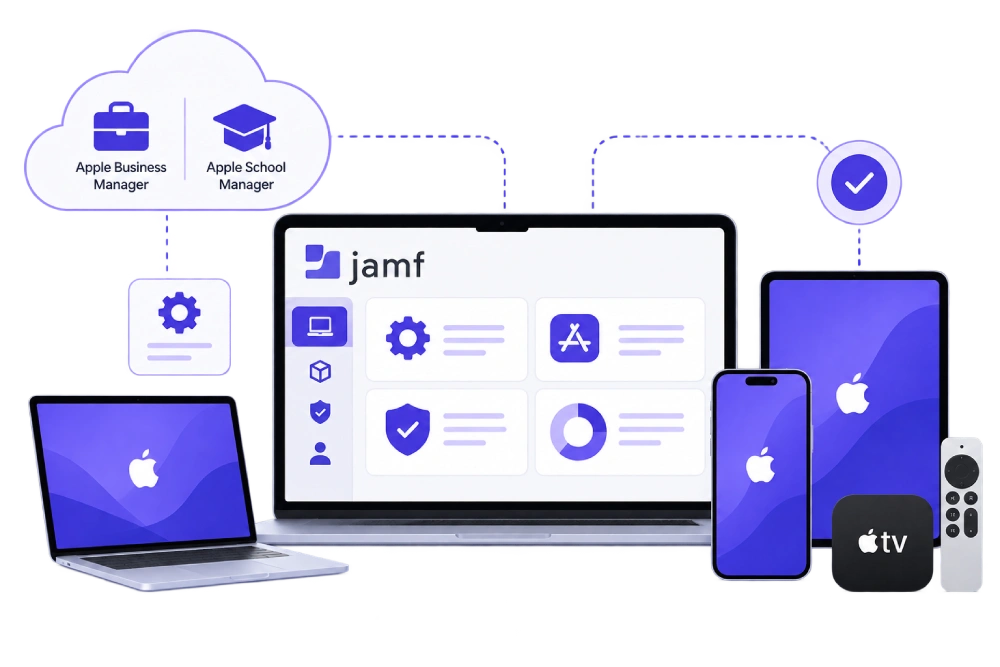
Jamf is a device management platform built exclusively for Apple hardware. It covers macOS, iOS, iPadOS, and tvOS, and it integrates directly with Apple Business Manager and Apple School Manager for zero-touch enrollment. A new Mac or iPhone arrives, an employee opens the box, the device configures itself against your policies before they finish their coffee.
Jamf Pro handles configuration profiles, app deployment, patch management for macOS, and compliance reporting. Jamf Protect adds endpoint security on top, and Jamf Connect handles identity. Reviewers on G2 consistently score Jamf highest for Apple-specific support, and pricing starts around $10 per device per month for the base tier.
The tradeoff sits right in the name of the company. Jamf goes deep on one ecosystem. If a single Windows laptop enters your fleet, Jamf has no answer for it.
What Is ManageEngine Endpoint Central?
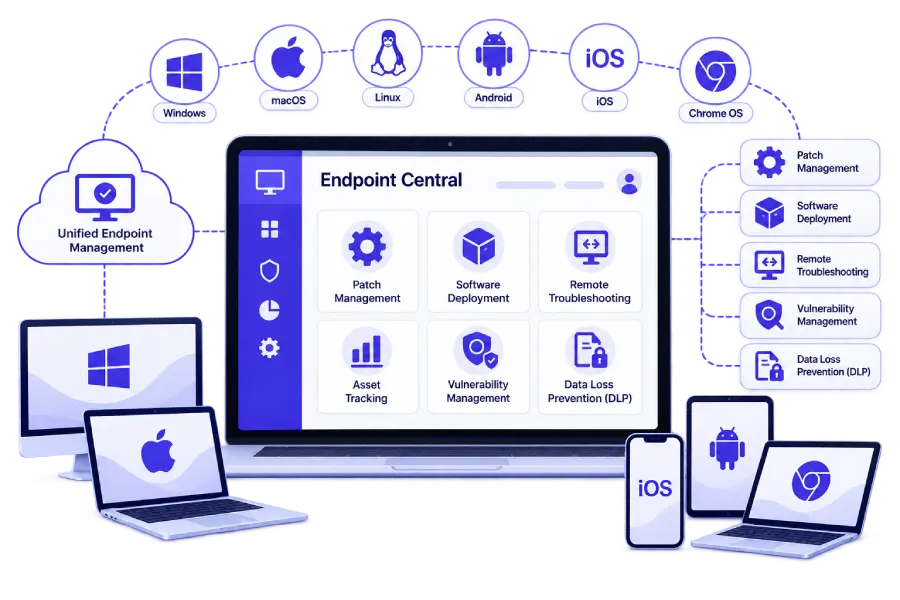
ManageEngine Endpoint Central, formerly known as Desktop Central, is a unified endpoint management platform that covers Windows, macOS, Linux, Android, iOS, and Chrome OS from one console. Instead of picking a tool per operating system, admins set one policy engine and apply it across the entire fleet.
Endpoint Central bundles patch management, software deployment, remote troubleshooting, asset tracking, and a growing set of built-in security modules including vulnerability management and basic data loss prevention. Entry pricing starts free for small deployments, which makes it a common first stop for companies outgrowing manual device management. According to ManageEngine’s own comparison data, organizations switching from Apple-only tools to Endpoint Central report meaningful reductions in total licensing cost once Windows devices enter the picture.
The tradeoff runs the other direction from Jamf. Broad OS coverage means Mac-specific features, the ones power users expect from a purpose-built Apple tool, sit a notch behind what Jamf offers natively.
Comparing MDM platforms for a mixed fleet? See how endpoint-first device control plus data protection works in a single agent.
ManageEngine vs Jamf: Feature by Feature
Feature checklists rarely tell the full story, but they’re a fast way to see where each platform puts its engineering effort. Here’s how the two stack up across the categories IT teams ask about most.
| Category | Jamf | ManageEngine Endpoint Central |
|---|---|---|
OS coverage | macOS, iOS, iPadOS, tvOS only | Windows, macOS, Linux, Android, iOS, Chrome OS |
Zero-touch enrollment | Native, deep Apple Business Manager tie-in | Available, less Apple-native polish |
Patch management | Strong for macOS, limited beyond it | Cross-platform, 1,100+ prepackaged apps |
Entry pricing | From roughly $10 per device per month | Free tier available for small deployments |
Admin learning curve | Polished, Apple-admin friendly | More configuration up front |
Built-in DLP | Add-on via Jamf Protect | Basic module included |
Best-suited team size | Any size, Apple-heavy | SMB to enterprise, mixed fleet |
G2 satisfaction score | 4.7 to 4.8 stars | 4.5 to 4.6 stars |
Scores pulled from G2 and Gartner Peer Insights comparison pages. Ratings shift as new reviews come in, check current scores before you buy.
What Does Reddit Say About Jamf vs ManageEngine?
Vendor comparison pages tell you what each company wants you to hear. IT forums tell you what admins actually deal with at 2 a.m. during an update rollout. Across Reddit’s sysadmin communities, Jamf community boards, and MSP-focused threads, a consistent pattern shows up.

Apple-only shops love Jamf.
Admins managing pure Mac fleets describe Jamf as the tool that "just works" with Apple's ecosystem, particularly for Apple Business Manager enrollment and macOS-specific configuration profiles.

Mixed-fleet admins lean toward ManageEngine or a UEM platform.
Threads comparing tools for teams running Windows and Mac together frequently point out that Jamf simply has no answer for non-Apple devices, which forces teams into a second license and a second console.

Cost comes up constantly.
Admins on tighter budgets note that ManageEngine's free and lower-cost tiers make it easier to justify to finance, especially for small IT teams managing a few hundred devices.

Setup friction is the most common ManageEngine complaint.
Multiple threads mention that Endpoint Central takes more initial configuration to feel as smooth as Jamf's out-of-box experience, though admins who invest the setup time report it pays off at scale.
The takeaway lines up almost exactly with the feature comparison above. Reddit isn’t picking a winner, it’s confirming that the right choice depends entirely on what operating systems sit in your fleet today, and what you expect to add next year.
Jamf vs ManageEngine MDM: Which Wins for Mobile Devices?
Narrow the question to pure mobile device management, iPhones, iPads, and Android phones, and the picture shifts slightly. Jamf still leads for iOS and iPadOS specifically. G2 comparison data shows Jamf scoring notably higher on Apple-specific remote wipe and zero-touch provisioning for mobile devices.
But if your mobile fleet includes Android devices alongside iPhones, that advantage narrows fast. ManageEngine Mobile Device Manager Plus supports both platforms natively, while Jamf has no Android story at all. Companies issuing a mix of iPhones and Android phones to field staff, sales teams, or delivery workers typically find ManageEngine’s MDM module the more practical fit, even if a few Apple-specific bells and whistles fall short of what Jamf offers.
Which Industries Fit Each Tool Best?
Feature lists matter less than fit. Here’s how the “best for” question tends to shake out by industry and team profile.

Best For Jamf
Creative agencies, design studios, higher education
Apple-heavy environments where macOS and iPad management depth matters more than multi-OS flexibility.

Best For ManageEngine
Mid-market IT, manufacturing, healthcare back office
Mixed Windows and Mac fleets that need one console, one patch cycle, and predictable licensing cost.

Best For Kitecyber
Remote-first teams, regulated SaaS, GenAI-heavy workflows
Organizations that need device control plus endpoint data protection without stitching together a separate DLP tool.
What Gap Do Both Tools Leave Open?
Here’s the part most comparison articles skip. Device management and data protection are not the same job, even though vendors often blur the line in marketing copy.
Jamf and ManageEngine both answer a version of the question: is this device configured, patched, and enrolled correctly? Neither one was built to answer a different question that matters just as much: what is this device doing with sensitive company data right now?
USB transfers, clipboard activity, uploads to personal cloud storage, and prompts typed into ChatGPT or Gemini generally sit outside what a standard MDM platform inspects. Jamf Protect and ManageEngine’s built-in security modules add pieces of this coverage, but data loss prevention isn’t the core design goal of either product. That gap is exactly where a growing number of IT teams add a dedicated endpoint data security layer.
TL;DR: The Core Trade-Off
- Jamf: Deepest Apple-only management. No Windows, Android, or Linux support.
- ManageEngine: One console for six operating systems, lower entry cost, more setup effort.
- Reddit consensus: pick based on your OS mix, not brand reputation.
- Both tools leave endpoint DLP and GenAI data risk mostly uncovered.
- Kitecyber Device Shield exists to close that specific gap, alongside either MDM.
Kitecyber Device Shield vs ManageEngine vs Jamf
Kitecyber Device Shield isn’t trying to out-feature Jamf on Apple management or out-price ManageEngine on patch coverage. It solves a different, adjacent problem: enforcing data security policy directly on the endpoint, on any device, on any network, regardless of which MDM sits underneath it.
| Capability | Kitecyber Device Shield | Jamf | ManageEngine Endpoint Central |
|---|---|---|---|
Core focus | Endpoint data security and compliance | Apple device configuration | Cross-OS device management |
OS support | Windows, Mac, Linux | Apple only | Windows, Mac, Linux, Android, iOS, Chrome OS |
USB and clipboard control | Native, policy-based enforcement | Limited, via add-on | Basic |
GenAI prompt inspection | Built-in, intercepts prompts before submission | Not available | Not available |
Data lineage tracking | Tracks files across users and devices | Not available | Not available |
Deployment model | Lightweight endpoint agent, works alongside existing MDM | MDM profile push | Agent + console |
Ideal use case | Adding data-loss and compliance coverage to any existing MDM | Apple-only fleets | Mixed-OS device management |
The three tools aren’t strict competitors so much as three different layers of the same stack. Plenty of IT teams run Jamf or ManageEngine for device configuration and add Kitecyber Device Shield specifically for the data security and compliance layer neither MDM was designed to own.
See Where Your Current MDM Leaves Data Exposed
Kitecyber Device Shield layers endpoint DLP, USB control, and GenAI prompt inspection on top of whatever device management tool you already run.
Which Tool Should You Choose?
Run through these four questions before you commit to either platform.
1. What operating systems does your fleet actually run?
Apple-only points to Jamf. Anything mixed points to ManageEngine.
2. How much admin time can you invest in setup?
Jamf's out-of-box experience is smoother. ManageEngine rewards teams willing to spend a few weeks tuning policies.
3. What's your budget per device?
ManageEngine's lower entry cost matters more as device count climbs into the hundreds.
4. Does your compliance obligation include data loss prevention?
If the answer is yes, budget for a dedicated data security layer alongside whichever MDM you pick. Neither Jamf nor ManageEngine was built to be your primary DLP tool.
There’s no universal winner here, and any article that tells you otherwise is skipping the part where your fleet, your budget, and your compliance requirements are different from the next company’s. Match the tool to your operating system mix first. Everything else follows from that one decision.
Where These Numbers Come From
4.7★
Jamf Pro on G2, based on 2,000+ verified reviews
4.5★
ManageEngine Endpoint Central on G2, based on 1,000+ verified reviews
1,500+
ManageEngine reviews tracked on Gartner Peer Insights
Free tier
ManageEngine's entry pricing vs Jamf's per-device model
Reviewed by the Kitecyber Security Team
Endpoint Security & Compliance
Kitecyber’s platform team works daily with IT and security leaders migrating between MDM tools and closing data protection gaps left by legacy device management platforms. This comparison draws on G2, Gartner Peer Insights, Reddit sysadmin communities, and Jamf’s own user forums, current as of 2026.
FAQ
Frequently Asked Questions
It depends on your fleet. ManageEngine Endpoint Central wins for mixed-OS environments running Windows, Mac, Linux, Android, and Chrome OS from one console at a lower entry price. Jamf wins for Apple-only fleets that need the deepest macOS, iOS, and iPadOS management on the market. Neither is universally better, they solve different problems.
IT admins on Reddit and community forums generally agree Jamf is the more polished, Apple-native tool with a steeper price tag, while ManageEngine gets credit for being budget-friendly and OS-agnostic but takes more setup work to feel as refined. Admins running only Mac fleets tend to prefer Jamf. Admins managing Windows and Mac together tend to prefer ManageEngine or a UEM platform built for mixed environments.
ManageEngine Endpoint Central can manage Mac devices for patching, software deployment, and asset tracking, but it does not match Jamf's depth on macOS-specific features like Apple Business Manager integration, zero-touch enrollment nuances, and native Apple configuration profiles. If your fleet is Apple-only, Jamf remains the stronger MDM choice.
No. Jamf is built exclusively for Apple devices, including macOS, iOS, iPadOS, and tvOS. If you need to manage Windows, Android, or Linux devices from the same console, you need a second tool or a unified endpoint management platform like ManageEngine Endpoint Central.
Both tools focus primarily on device configuration, patching, and enrollment. Endpoint-native data loss prevention, covering USB transfers, clipboard activity, and GenAI prompt submissions, is not the core strength of either platform. Kitecyber Device Shield is built specifically to add that data control layer on top of your existing MDM.
Kitecyber Device Shield is worth testing if your priority is combining device management with endpoint-native data security and GenAI risk controls in a single agent, rather than stitching an MDM together with a separate DLP tool.
Close the Gap Neither MDM Was Built to Cover
Keep Jamf or ManageEngine for device configuration. Add Kitecyber Device Shield for the data security and GenAI risk controls both platforms leave out.