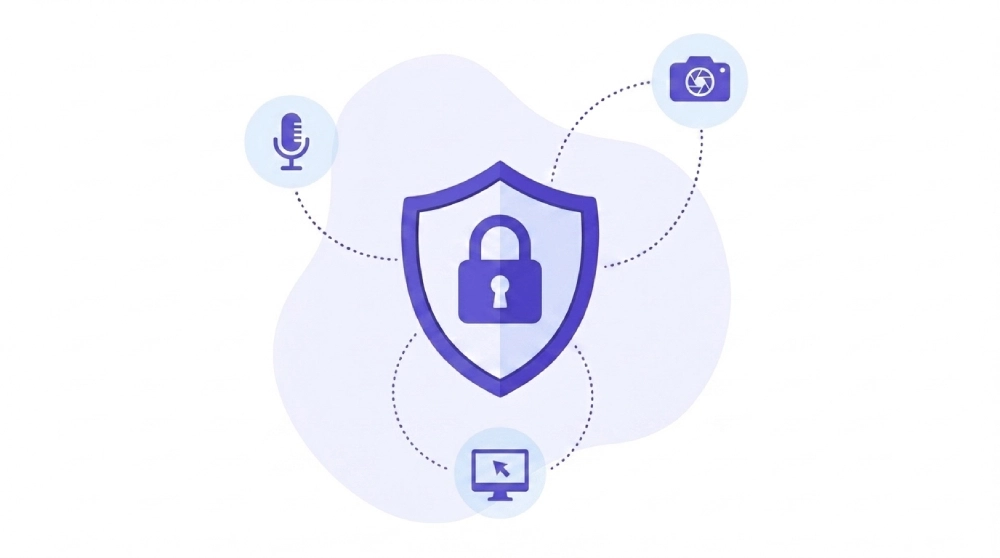
Modern data loss prevention tools are built to inspect text and files, not the live audio, video, and screen-share streams that carry sensitive data through meeting platforms every day. Microsoft Teams, Slack, and Zoom offer native controls that scan and block sensitive content in chat messages and file transfers, but none of them provide comprehensive, real-time monitoring of what a presenter shows on screen or says out loud during a live call. That gap means a customer’s Social Security number on a shared spreadsheet, a snippet of proprietary source code scrolled past during a demo, or a verbal disclosure of financial results can leave the organization without triggering a single alert. Closing this blind spot requires moving enforcement to the endpoint itself, the one place every meeting, regardless of platform, actually renders on screen and passes through a microphone.
TL;DR
About the Author: This article is written by the Kitecyber team, whose
endpoint DLP platform is built specifically to see and control sensitive data movement, including screen content and clipboard activity, at the device level for AI-native companies and regulated industries. Kitecyber’s engineering work centers on the exact enforcement gap this article covers: data exposure that happens outside of files and chat messages.
What Makes Screen-Shares and Video Calls a DLP Blind Spot?
A DLP blind spot is any data pathway that a data loss prevention system cannot inspect or act on before sensitive information leaves the organization. Screen-shares and live video are a blind spot because most enterprise DLP solutions were designed around structured data in motion: emails, uploaded files, database queries. They pattern-match against text strings, file hashes, or metadata. None of that applies to a live screen-share, where the “data” is a sequence of rendered pixels, or a voice call, where the data is an audio waveform.
This is a genuinely different technical problem, not a minor gap in an otherwise complete system. Traditional DLP blind spots are well documented across cloud collaboration tools generally [material.security][zecurion.com], and the same underlying issue, tools built for text and files failing to inspect other data formats, extends directly to live meeting content. Consider the mechanism: a DLP engine scanning an outbound email can tokenize the message and run it against regex patterns for account numbers or PHI in milliseconds. A screen-share has no text layer to tokenize by default; the DLP engine would need to run optical character recognition on every frame in real time, then classify what it finds, then decide whether to act, all before the next frame renders. Few enterprise DLP stacks are built for that pipeline, which is part of why OCR-based approaches to data leaks remain a distinct and still-maturing category [miniorange.com].
Voice calls compound the problem further. There is no text at all until speech-to-text transcription happens, and most meeting platforms do not run real-time transcription against DLP policy during the call itself.
Why Don't Teams, Slack, and Zoom Already Solve This?
They solve an adjacent problem: they protect the messages and files sent through the platform, not the pixels and audio rendered live during a session. Microsoft Teams, Slack, and Zoom all ship native DLP capabilities that scan and block sensitive text and file attachments moving through chats and channels. That is real, useful coverage for one category of risk.
What none of them do natively is monitor and block sensitive content appearing inside a live video feed or a shared screen in real time, or flag sensitive terms spoken during a call. Vendors are explicit that closing this gap typically requires third-party integrations layered on top of the native platform. That is a deliberate scoping decision, not an oversight: platform vendors optimize for the data formats their core product controls (messages, files, meeting metadata), and screen and voice content sits outside that scope.
The practical effect shows up in how organizations report their own visibility. Industry survey data indicates 72% of organizations already run two or more DLP solutions at once, and the same body of research found that 72% of organizations still report a visibility gap in how sensitive data moves across cloud and SaaS platforms, with 71% of security leaders saying legacy DLP cannot keep pace with modern data flows. Stacking more point tools has not closed the gap; it has often added integration overhead without adding coverage for live meeting content specifically.
What's the Real Attack Surface Inside Meeting Tools?
The
attack surface goes well beyond an employee accidentally sharing the wrong tab. It includes technical vectors that most security teams don’t model when they think about “meeting security.”
Each of these vectors has one thing in common: they play out on the endpoint or in the transport layer, not inside a chat message a DLP filter can scan. That is precisely why network-centric and file-centric controls miss them.
What Does Compliance Actually Require for Video and Voice?
Regulatory frameworks are more specific about meeting security than most organizations assume, and the specifics matter because “compliant” is not a single checkbox. HIPAA compliant video conferencing requires end-to-end encryption, a signed Business Associate Agreement with the platform vendor, and active minimization of PHI exposure, which in practice means things like hiding patient identifiers from a shared screen before a call starts, not after someone notices the leak.
GDPR adds separate requirements: data hosting within approved regions, clear consent mechanisms before recording or processing call data, and minimized collection of personal data during the session itself. SOC 2 Type II requires audited, ongoing evidence of the controls protecting security, availability, and confidentiality, which for meeting tools means proof that real-time sessions were actually governed, not just a policy document stating that they should be.
The table below summarizes where these requirements typically land relative to platform-native controls.
|
Requirement
|
What it demands
|
Typically covered natively?
|
|
HIPAA
|
Encryption, BAA, PHI minimization on screen
|
Partial; screen-level PHI hiding often needs extra controls
|
|
GDPR
|
EU data hosting, consent, minimized collection
|
Partial; varies by platform configuration
|
|
SOC 2 Type II
|
Audited real-time session controls
|
Partial; audit evidence often needs a separate layer
|
Where Should Enforcement Actually Happen?
Building on the compliance gaps above, the harder question is where enforcement needs to sit to actually close them. Network inspection can’t decrypt or meaningfully parse a live video stream without breaking the encryption guarantees regulators require. Platform-native DLP stops at the edges of chat and file transfer. That leaves one consistent vantage point: the endpoint itself, where the screen actually renders and the microphone actually captures audio, regardless of which meeting platform is running.
This is the core argument for endpoint-native data security. An agent running on the device can see what’s about to be shared before it leaves the machine, evaluate it in context (what data, which app, who is presenting, to whom), and enforce a decision, such as masking a sensitive window or blocking a specific application from being shared, at that exact moment. This is the same operating logic Kitecyber applies across every data channel: See, Decide, Enforce, continuously. The endpoint sees data lineage and movement in real time, decides based on document context and classification rather than pattern matching alone, and enforces the right action, whether that’s a warning, a block, or an isolation of the session, at the point of risk itself.
Extending that logic to meeting tools means the same lightweight agent that governs clipboard activity, browser uploads, and GenAI prompts can also govern what appears on a shared screen or which applications are permitted to be shared at all. That’s consolidation over fragmentation: one enforcement point instead of a patchwork of platform settings, network appliances, and hope.
About Kitecyber
Kitecyber is a cybersecurity company built to protect sensitive data at its source: the endpoint, where meetings, GenAI prompts, and everyday work actually happen. Its endpoint and network DLP capabilities track
data lineage and classify content using document context, not pattern matching alone, enforcing the right action, allow, block, warn, or isolate, at the exact point of risk. That same one lightweight agent also unifies secure web gateway, SaaS control, ZTNA, and unified
endpoint management, replacing fragmented point tools with a single trust engine. Companies including DuploCloud, Lily AI, Vanta, Sarvam, and Scrut Automation rely on Kitecyber to apply real-time enforcement across AI and modern collaboration tools.
Meeting content is one more data channel that requires real-time protection, not an exception to policy. To see how endpoint-native enforcement closes the gap that chat-focused DLP leaves open, visit
Kitecyber.
References
Frequently Asked Questions