Are you aware that 60% of data breaches in 2025 involved the human element, according to Verizon? Your employees might be your greatest asset, but their Windows workstations are also your largest liability. In 2024, 68% of organizations experienced endpoint-related breaches. The average employee pastes sensitive data into AI tools like ChatGPT roughly 47 times every single day.
Your finance team, your developers, your HR staff, they are moving files, copying snippets, uploading to personal cloud accounts, and your legacy tools are watching without acting.
A Windows DLP solution is supposed to stop this. But choosing the wrong one means you pay for dashboards full of alerts that nobody can act on, agents that slow machines to a crawl, and policies so brittle they either block legitimate work or miss real threats entirely.
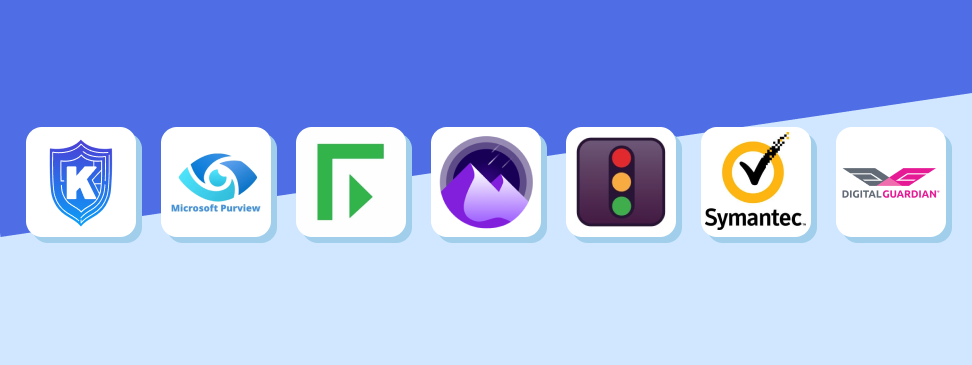
This guide covers the 7 best Windows DLP solutions available right now. Each one works seamlessly on Windows. Each one solves a different problem.
We already covered what are great DLP solutions for Mac and Linux previously. This article focuses specifically on solutions designed to protect Windows environments, where most enterprise data movement still happens.
What Actually Makes a Windows DLP Solution Worth Your Budget?
Before running through the list, you need to know what separates a good Windows DLP solution from an expensive disappointment.
Coverage is the starting point. Your Windows DLP software must monitor every channel where data could leave: USB drives, email, browser uploads, SaaS apps, GenAI tools, clipboard actions, and print jobs. If a tool only covers two or three of these vectors, you have blind spots that attackers and careless employees will find.
Performance matters more than most vendors admit. A DLP agent consuming 20% CPU is a productivity tax your IT team will hear about constantly. Look for agents under 5% CPU usage and under 200MB memory footprint. Anything heavier creates friction that leads users to find workarounds.
Accuracy is what separates modern DLP from legacy tools. Legacy systems built on regex and keyword matching generate thousands of false positives per week. Modern AI-powered data classification reduces that noise by over 90%, which means your security team spends time on real incidents instead of chasing phantom alerts.
Finally, deployment speed matters. Traditional enterprise DLP solutions could take weeks or months to configure and roll out.
Organizations in 2026 need coverage in days, not quarters.
With those benchmarks in mind, here are the solutions worth your attention.
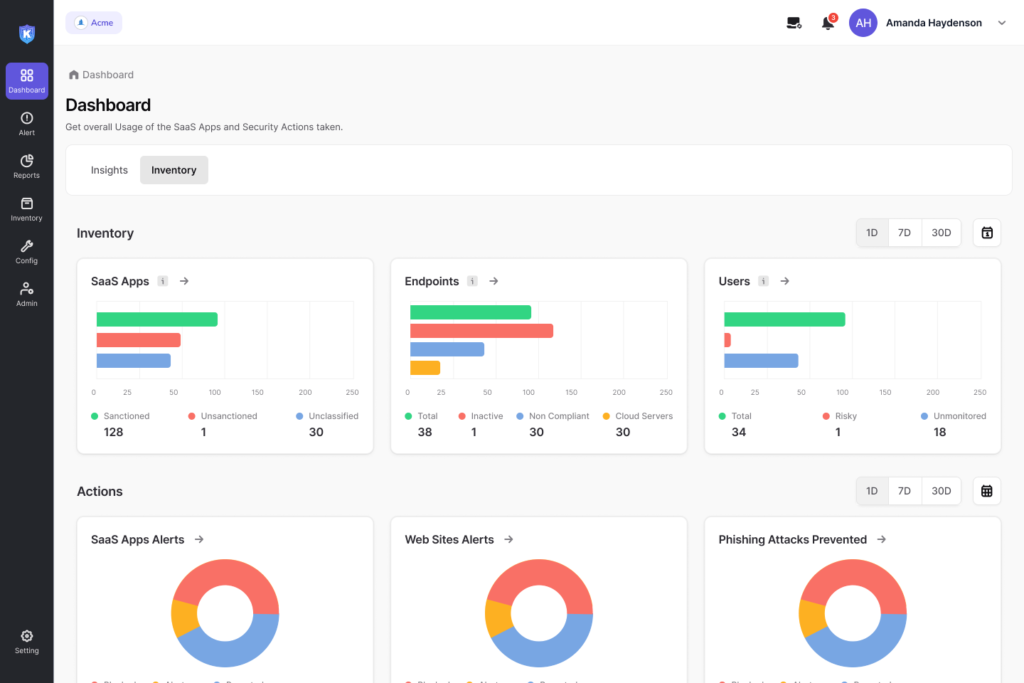
1. Kitecyber Data Shield: Best Windows DLP Solution for Modern Teams
If you manage a distributed workforce, a mixed-OS fleet, or a team that relies heavily on SaaS and GenAI tools, Kitecyber Data Shield is the Windows DLP solution built for your reality.
Kitecyber Data Shield is an AI-powered, endpoint-based DLP solution that deploys a single lightweight agent across Windows, macOS, and Linux devices. That single agent handles endpoint DLP, network DLP, secure web gateway functions, and compliance enforcement from one centralized dashboard. You get full visibility into sensitive data movement without deploying and managing five separate tools.
What makes Kitecyber DLP solution stand out on Windows specifically:
Kitecyber monitors every exfiltration vector that matters on Windows endpoints: USB transfers, clipboard copy-paste, SaaS uploads, browser activity, email, Airdrop, print jobs, and network shares. It also protects against Shadow AI, blocking sensitive data from being pasted into tools like ChatGPT or Google Bard before the data leaves your environment.
The classification engine comes with over 80 prebuilt categories covering PII, PHI, financial records, and custom data types. You can also plug in your own LLM key for enhanced accuracy on proprietary data classifications.
Data lineage tracking is a capability most Windows DLP tools either skip entirely or implement poorly. Kitecyber tracks sensitive data from the moment it is created or downloaded, showing you where it originated, where it moved, and who touched it. This is critical for incident investigations that go beyond just “a file was copied.”
The agent itself weighs only 200MB and uses approximately 1% of RAM. On a busy Windows workstation, users will not notice it is running.
Deployment takes minutes rather than weeks. Zero-touch provisioning means security teams can push the agent across their Windows fleet and start tracking sensitive data movement within days of setup.
Behavioral analytics built into the platform baseline normal user activity and flag anomalies automatically. Instead of alerting on every policy trigger, Kitecyber prioritizes alerts based on actual risk signals, which reduces alert fatigue significantly.
Pricing: The Starter Package is $6 per user per month for up to 10 users. The Pro Package is $12 per user per month and includes Compliance Automation. A free trial is available.
Best for: SMBs, mid-market teams, and distributed organizations that want one platform for endpoint management, DLP, secure web gateway, and compliance without stacking multiple point solutions.
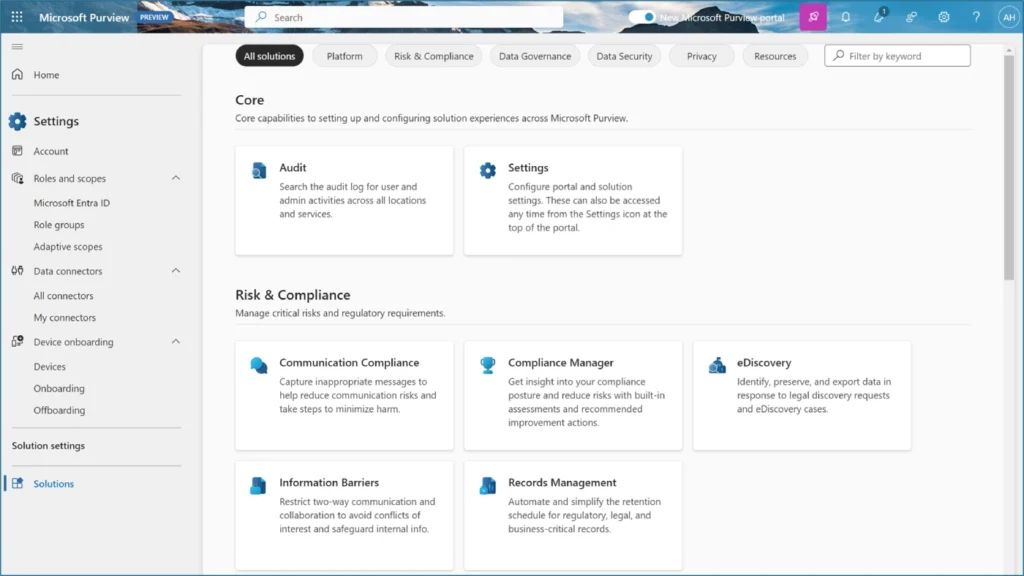
2. Microsoft Purview: Best Windows DLP Solution for Microsoft 365 Environments
If your organization runs on Microsoft 365, SharePoint, Exchange, and Teams, Microsoft Purview is the most natural fit. It embeds DLP policies directly into the tools your employees already use every day, which means enforcement happens without friction.
Purview’s sensitivity labels and auto-classification apply encryption and access controls based on AI-detected content, including PII and financial data. Unified DLP policies span endpoints, email, and Teams, with user notifications or quarantines triggered automatically when violations occur.
For organizations already invested in the Microsoft ecosystem, Purview reduces oversharing incidents and provides visibility into Copilot usage risks that no third-party tool can match natively.
The limitation is real, though: Purview struggles outside the Microsoft stack. If your team uses Google Workspace, Slack, or Linux endpoints alongside Windows machines, you will hit coverage gaps that require additional tools to fill.
Best For: Organizations that are fully or predominantly Microsoft 365-centric.
3. Forcepoint DLP: Best Windows DLP Solution for Enterprise Policy Management
Forcepoint DLP is one of the most established names in the Windows DLP space, and for large enterprises managing complex regulatory environments, it earns that reputation.
The platform comes with over 1,500 pre-defined policy templates covering regulatory requirements across 83 countries and more than 150 regions. If your organization operates across multiple jurisdictions with different compliance requirements, Forcepoint gives you a head start on policy configuration that would take months to build from scratch.
Risk-Adaptive Protection is Forcepoint’s standout capability. The system continuously monitors risky user behavior and integrates that risk data with policy enforcement in real time. A user who has been flagged for unusual activity might face stricter policies automatically, without requiring manual intervention from your security team.
Unified policy management means a single policy controls all channels simultaneously, from endpoints to cloud to network traffic. That centralized control reduces administrative burden and closes the policy gaps that often exist when different tools manage different vectors independently.
The tradeoff is cost and complexity. Forcepoint is built for organizations with dedicated security teams and the budget to match. Smaller teams may find the setup heavy and the pricing steep.
Best For: Large enterprises with multi-jurisdictional compliance requirements and dedicated security operations teams.
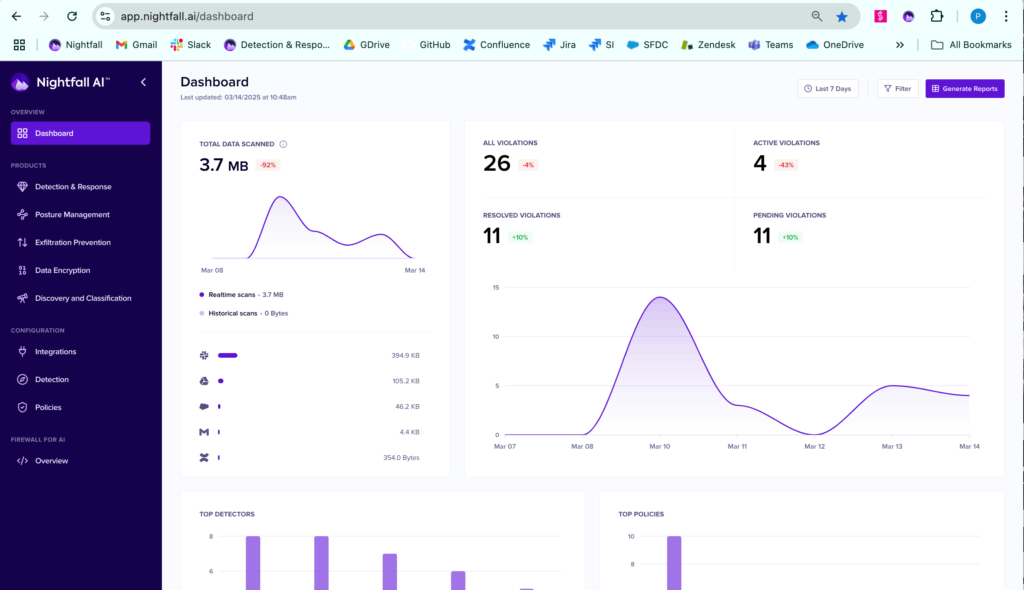
4. Nightfall AI: Best Windows DLP Solution for Cloud-Heavy Organizations
Nightfall AI takes a different architectural approach than most Windows DLP solutions on this list. It uses machine learning natively to detect sensitive data, which means its accuracy on PII, PHI, and PCI data detection is consistently high with minimal tuning required.
The platform deploys a lightweight Windows agent alongside its cloud-native architecture, giving you a unified model that covers endpoint and cloud exfiltration vectors simultaneously. Organizations using Nightfall report over 95% precision on sensitive data detection, which significantly reduces the false positive load on security teams.
Nightfall also offers dedicated protection for AI tool usage, monitoring clipboard inputs and file uploads to GenAI platforms and blocking actions that would expose sensitive data.
Where Nightfall shows its limits is at the network level. It has strong endpoint and SaaS coverage, but organizations that need deep network DLP alongside endpoint protection will likely need to pair it with additional tooling.
Best for: Cloud-first organizations and SaaS-heavy environments where endpoint and cloud coverage matters more than network DLP.
5. Netwrix Endpoint Protector: Best Windows DLP Solution for Device Control
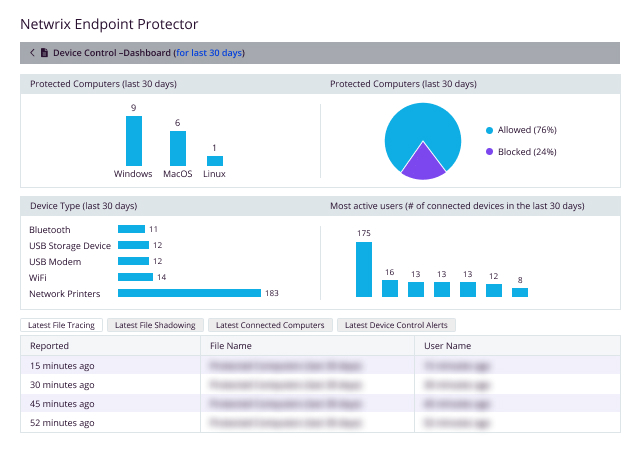
Netwrix Endpoint Protector, formerly CoSoSys Endpoint Protector, has a strong reputation specifically for device control on Windows endpoints. If USB misuse and removable media are your primary threat vectors, this tool handles them with granular precision.
The platform provides real-time data protection for Windows, macOS, and Linux endpoints, including when devices are offline. That offline capability is genuinely important for field workers and remote employees who may not always have network connectivity.
Device control features let you set granular permissions on USB ports, specific device types, and peripheral categories. You can allow some USB devices while blocking others, enforce encryption on any data copied to removable media, and log all transfer attempts for audit purposes.
Content-aware protection goes beyond device control to inspect what data is being moved, not just where it is going. The solution also supports scanning data at rest, which helps organizations understand where sensitive information is sitting on their Windows fleet.
For organizations with heavy compliance requirements around data portability and removable media, Endpoint Protector is a reliable choice with proven multi-OS support.
Best for: Organizations where USB and removable media risk is the primary concern, and those needing strong offline protection.
6. Symantec DLP (Broadcom): Best Windows DLP Solution for Deep Content Inspection
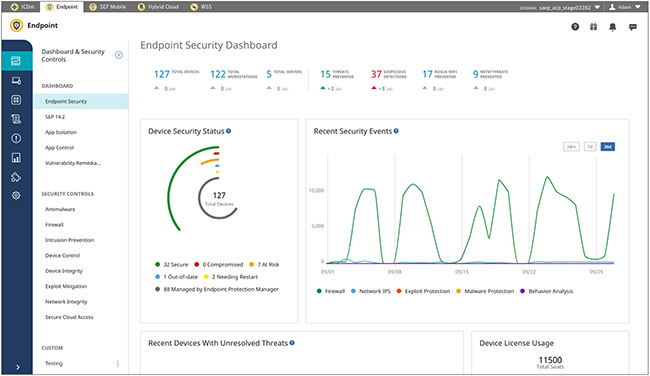
Symantec DLP, now under Broadcom, remains one of the most comprehensive enterprise DLP platforms available for Windows environments. Its depth of content inspection is genuinely unmatched in certain scenarios.
The platform covers endpoint, network, storage, and cloud environments from a single policy engine. Data lineage tracking and deep content inspection capabilities let security teams understand not just that a file moved, but what was inside it and whether that content represents a real compliance risk.
Customizable policy management is a strength. Organizations with highly specific data classification needs and unusual compliance requirements can configure Symantec DLP to match their exact environment. The breadth of supported data channels is extensive.
The challenge is operational: Symantec DLP requires significant administrative effort to configure, maintain, and tune. Organizations without dedicated DLP administrators may find it difficult to extract value from its full feature set. The pricing also reflects its enterprise positioning.
Best for: Large enterprises with dedicated security teams, complex data environments, and a need for deep content inspection across every possible channel.
7. Digital Guardian: Best Windows DLP Solution for Cross-Platform Coverage
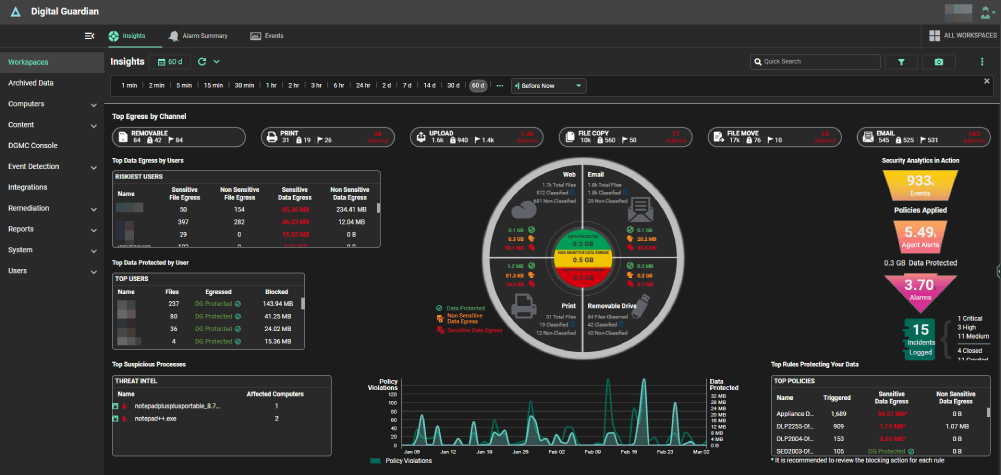
Digital Guardian offers the broadest multi-OS endpoint DLP coverage on this list, explicitly supporting Windows, macOS, and Linux without the gaps that often appear in tools that treat non-Windows systems as afterthoughts.
The platform combines endpoint DLP with cloud DLP, eliminating some of the complexity that comes from running separate tools for different environments. Its approach to data protection focuses on data-centric controls that follow the data itself, rather than perimeter controls that break down when employees work remotely.
Content-aware protection through detailed inspection methods is a core capability. The platform can distinguish between different types of sensitive content and apply appropriate controls based on what it finds, not just where data is going.
Device control features allow granular management of USB ports and peripherals, and enforced encryption mechanisms secure sensitive data in transit. The platform also maintains continuous updates to PII libraries, which is important for staying current with regulatory changes.
Best for: Organizations running diverse OS environments where consistent cross-platform policy enforcement is a priority.
How to Choose the Right Windows DLP Solution for Your Organization
Every organization’s data risk profile is different, but a few questions will point you in the right direction.
Start with your data flow. Sketch out where your sensitive data originates, which applications it passes through, and where it could exit your environment. This map tells you which exfiltration vectors matter most for your specific risk profile.
Consider your OS environment. If your Windows fleet is your only concern, almost any tool on this list could work. If you run Windows alongside macOS and Linux, you need a solution that enforces consistent policies across all three without creating different coverage tiers. Kitecyber Data Shield, Digital Guardian, and Netwrix Endpoint Protector handle multi-OS environments well.
Think about your team’s capacity. A powerful tool that requires three dedicated administrators to manage is not better than a simpler tool your two-person security team can actually maintain. Kitecyber and Nightfall deploy quickly and manage through centralized dashboards with minimal ongoing configuration. Forcepoint and Symantec require more hands-on management.
Factor in GenAI risk. This is a 2026 reality that most legacy tools were not built for. Employees using ChatGPT, Copilot, Claude, and other AI tools represent a data exfiltration vector that did not exist five years ago. Solutions like Kitecyber Data Shield and Nightfall AI have dedicated controls for this threat. If your employees use GenAI tools regularly, this capability should be non-negotiable.
Finally, match your budget honestly. Enterprise tools like Forcepoint and Symantec cost substantially more than SMB-focused platforms. Kitecyber Data Shield at $6 to $12 per user per month delivers enterprise-grade coverage at a price point accessible to smaller teams.
The Bottom Line
Windows endpoints are where most sensitive data originates, moves, and leaks. A Windows DLP solution is not optional anymore for any organization that handles customer data, financial records, health information, or proprietary intellectual property.
Of the seven solutions covered here, Kitecyber Data Shield earns the top position for most organizations. Its unified agent, AI-powered classification, Shadow AI protection, data lineage tracking, and fast deployment give you coverage that matches how modern work actually happens. The pricing makes it accessible at any scale, and the platform grows with you as your needs evolve.
Microsoft Purview is the right choice if your entire stack is Microsoft 365. Forcepoint and Symantec serve enterprises with complex compliance environments and dedicated security teams. Nightfall suits cloud-first organizations, while Netwrix and Digital Guardian excel at specific use cases around device control and cross-platform coverage.
The most expensive breach is always the one you did not see coming. Pick the Windows DLP solution that matches your environment, deploy it properly, and start closing the gaps that are open in your environment right now.
Ready to see how Kitecyber Data Shield protects your Windows endpoints?
Start a free trial and get your data under control in days, not months.