Table Of Content

Table Of Content
Why Data Loss Prevention for macOS (Mac DLP) Matters for Your Business
-
November 18, 2025
-
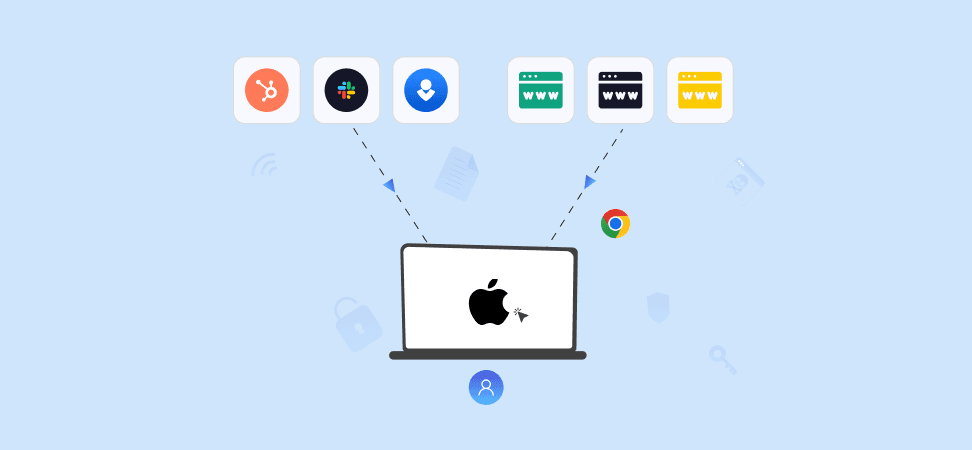
Summary: Most Mac users mistakenly believe their devices are inherently secure—but insider threats, human error, and evolving cyber risks leave them vulnerable. Kitecyber’s Mac DLP solution proactively monitor and prevent data loss, from USB misuse to copy-paste to upload/download to phishing, ensuring sensitive information stays protected.
Data is the lifeblood of modern work, whether you’re a freelancer safeguarding client projects, a business owner protecting sensitive corporate information, or simply someone with irreplaceable personal files. Losing it can be devastating. Yet, many Mac users operate under the false assumption that their devices are inherently secure. The truth is, no system is invincible, and the stakes are higher than ever. This blog breaks down why Data Loss Prevention matters for Macs, how to lock it down, and how tools, like DLP agents, can keep your data safe. Let’s dive in.
What Is Data Loss Prevention for macOS?
Data Loss Prevention for macOS refers to tools and policies that stop sensitive information from being leaked, shared improperly, or lost on Apple devices. macOS DLP solutions monitor user actions, detect sensitive data patterns (such as credit card numbers or personal identifiers), and block unauthorized transfers to USB drives, external devices, cloud services, or shadow SaaS applications. These solutions reduce both accidental and intentional data exposure and help organizations meet regulatory and compliance requirements. Traditional DLP tools often rely heavily on content inspection, but modern solutions combine that with behavioral analysis and data lineage (i.e., understanding where data came from, where it’s going, and who touched it). Kitecyber mac DLP tool, for example, uses data lineage to dramatically reduce false positives.
In short, mac data loss prevention doesn’t just catch “bad” files, it intelligently protects valuable data based on context, usage, and risk.
Why macOS Needs a True DLP Solution
- Legacy DLP Wasn’t Built for Macs: Many older DLP tools are Windows-first, lacking full support for macOS and causing performance issues or even kernel panics.
- Hybrid & Remote Work Risks: With distributed teams using their Macs from anywhere, insider threats (both accidental and malicious) are a growing challenge. Mimecast reports a 28% rise in insider-driven data leaks.
- Encrypted Traffic Isn’t Enough: Data leaving via SSL/HTTPS can still be at risk. Mac DLP decrypts in real time to inspect content and stop exfiltration over encrypted channels.
- Offline & Physical Exit Points: Macs often roam off the corporate network, so DLP must work even offline. Plus, removable media (USBs) and other exit points remain one of the most common leak vectors.
Use Cases Where Mac Data Loss Prevention Really Matters
- Insider Threats: Whether intentional or accidental, employees with Macs can leak sensitive files via email, USB, or cloud drives. Behavior-based DLP helps detect risky patterns and take action.
- Compliance: For GDPR, HIPAA, PCI-DSS, or similar regulations, Kitecyber logs and audits all sensitive-data events to deliver full traceability.
- IP Protection for Tech Teams: Source code, design files, or proprietary information stays safe even when developers use external drives or cloud apps.
- Data Security for Remote Teams: With support for offline policy enforcement, Kitecyber protects Mac endpoints even when disconnected from the corporate network.
What to look for in a Mac-friendly DLP solution
Before choosing a Mac-friendly DLP solution, it’s worth highlighting what makes DLP on Macs a bit different (and more challenging) than on Windows:
- While many DLP vendors historically emphasised Windows, Mac support can lag in feature parity.
- macOS uses stricter protection layers (e.g., Apple Silicon, newer kernel/extension models) so the DLP agent must be built with those in mind (for example, a “KEXT-less” approach).
- You want coverage of data in use, data in motion, and data at rest i.e., file movement to USB/external drives, cloud uploads, email or chat sharing, clipboard transfers, etc.
- Low impact on performance and minimal disruption is especially important on Mac devices since user experience matters.
- Ability to enforce policies (block, alert, quarantine), and good visibility/audit reporting.
- Consider your overall architecture: endpoint DLP + cloud/SaaS DLP + network/edge DLP may all be relevant.
Built-in macOS Security Isn’t Enough
Apple gives you a strong foundation, but it doesn’t solve all enterprise data risks:
- FileVault: Full-disk encryption protects data at rest.
- Gatekeeper & App Notarization: Limits unverified apps.
- XProtect: Basic malware detection.
- Time Machine: Backups for recovery.
These features are vital, but they don’t monitor or prevent data exfiltration. They don’t help you track where sensitive data is going, who is using it, or enforce policies when data is about to leave. That’s where Mac DLP solutions step in.
How to Choose the Best Data Loss Prevention Solution for Mac OS
- If your fleet is mixed (Mac + Windows): Choose a DLP vendor with true cross-platform support, so you don’t end up with fragmented controls. For example, Kitecyber DLP solution is the only true cross-platform centric DLP solution, which covers windows, mac, and linux.
- If your fleet is mostly Mac: You could favour a Mac-centric solution that is tuned for the Mac environment. But remember, you might want to pivot to other OS’s in future, so choose wisely.
- Always pilot the Mac agent to check performance, user impact, compatibility with your MDM/management stack, and whether the Mac features you need (USB control, cloud upload blocking, clipboard monitoring, printing control) are supported.
- Consider deployment strategies (simulation mode → alerts → enforcement) so you can fine-tune and avoid major disruptions.
How Kitecyber’s Mac DLP Solution Secures Your Data
Kitecyber is a comprehensive, purpose-built DLP agent for macOS. It covers endpoint, network, email, and SaaS apps related data-loss-prevention scenarios, which is rarely present in other DLP solutions. If you want a comprehensive DLP agent for your Mac OS devices with data lineage tracking and behavioral analytics, Kitecyber is the recommended solution.
Here’s how Kitecyber DLP solution locks down sensitive data on Mac endpoints:
1. Deep Content Inspection + AI Behavior Analysis
- Analyzes data context and content to detect risky or sensitive transfers.
- Uses AI to classify sensitive data and identify anomalous behavior like insider threats, accidental leaks, or cyberattacks.
2. Real-Time Traffic Decryption
- Inspects SSL/HTTPS traffic to catch exfiltration even over encrypted channels.
- Prevents leaks that other DLPs might miss due to blind spots in network encryption since the architecture is endpoint-based.
3. Device Control & Removable Media Security
- Limit, block, or monitor USB and external drive usage.
- Encrypt data on portable media to ensure that even if a drive is lost, the content remains protected.
4. Remote Lock & Wipe
- If a device is compromised or lost, Kitecyber can remotely lock or wipe sensitive data to prevent unauthorized access.
5. Zero-Trust Policies
- Enforce strict “verify every action” controls.
- Build conditional policies based on user, device, data type, or exit point.
We’ve created a youtube video showcasing how Kitecyber’s data loss prevention solution prevents data leaks in Mac OS devices:
How Kitecyber Prevents Data Loss on Mac OS via removable USB devices
USB devices are convenient, but they’re also a major security risk. Blocking unauthorized USB access is a critical part of any endpoint data loss prevention (DLP) strategy, preventing data theft, malware infections, and accidental leaks. Kitecyber DLP solution offers device control options that allow companies to limit, block, and monitor the use of removable USB devices. Kitecyber Data Shield stops sensitive data loss via USB devices by:
1. Controlling USB and External Drive Access
Block unknowns. Approve only what’s trusted.
2. Encrypting Data on Portable Storage
Lock USB files with encryption. No cracks, no leaks.
3. Monitoring Data Movement and Usage
Watch the flow of data movement. A massive transfer to a Mac endpoint? Remote wipe data.
How Kitecyber Prevents Data Leaks on Mac OS from Malicious Insiders
Mac OS has strong security, built on a Unix foundation, packed with native encryption, and now running kextless for better stability. But even the most secure system can’t protect against its biggest risk: human error. Employees accidentally send sensitive files to the wrong person, fall for phishing scams, or—worse—turn malicious. According to the Ponemon Institute, insider-driven security incidents have surged 47% since 2018. Human mistakes alone cause 23% of breaches, while 7% come from malicious insiders, and 17% of external attacks exploit employee access.
Kitecyber’s DLP solution secure MacOS data by:
-
1. Identifying Sensitive Data Locations
Catch wherever your sensitive data lives—on endpoints. Scan everything -
2. Monitoring User Behavior Without Invasion of Privacy
Track data, not diaries. Keep everything transparent. -
3. Implementing Zero-Trust Security Policies
Verify everyone, always. No shortcuts. -
4. Wiping out or locking the endpoint during data leak
Use remote lock or remote wipe to prevent data steal.
How Kitecyber Implements Data Leak Prevention on Mac OS from Cyber Threats
Mac users face growing cyber threats, from malware exploiting system vulnerabilities to phishing attacks stealing sensitive data. OSX/Shlayer and OSX/MaMi/ trick users into granting admin access, exposing critical files. KeRanger ransomware encrypts data, demanding payment for decryption. Phishing scams target credentials and financial details, often leading to full-scale data breaches.
Kitecyber Data Shield protects Mac OS endpoints from cyberthreats by:
Kitecyber Data Shield protects Mac OS endpoints from cyberthreats by:
- Detecting and Mitigating Phishing Attacks: Spot fake emails. Use tools to kill bad links.
- Secure Browsing and Network Protections: Browse HTTPS only. Use passwordless VPN up on public Wi-Fi.
How Kitecyber Supports Compliance and Regulatory Requirements for Mac OS devices
Kitecyber’s DLP for macOS helps businesses meet GDPR, HIPAA, PCI DSS, and other compliance requirements by enforcing strict data protection policies. It logs and monitors data access and transfers, providing essential audit trails for compliance verification when regulators demand proof.
Kitecyber data security solution help Mac-owned businesses stay compliant by:
-
GDPR, CCPA, and Industry Standards for macOS Users
Encrypt personal info. Limit access. Fines sting—avoid them. -
Auditing and Reporting for Compliance
Download audit reports. Show proof when asked. -
Maintaining Security While Ensuring Compliance
Keep workflows alive while locking down endpoints.
Here’s How Kitecyber’s DLP Compare With Other Mac-OS based DLP Solutions
Feature / Capability |
Kitecyber DLP (MacOS) |
Endpoint Protector (MacOS) |
Mimecast / Incydr (MacOS) |
Cyberhaven DLP (MacOS) |
Strac DLP (MacOS) |
Teramind DLP (MacOS) |
G2 Ease of Use* |
8.7 / 10 |
8.5 / 10 |
8.8 / 10 |
8.6 / 10 |
9.1 / 10 |
8.3 / 10 |
Insider Threat Detection |
Comprehensive ★★★★★– Behavioral analytics– Encrypted-app & offline monitoring– Tracks password-protected files |
Good ★★★★☆– Device control + content scanning– Strong USB monitoring |
Good ★★★★☆– Behavior-based risk scoring– Cloud-native user activity intelligence |
Good ★★★★☆– Data lineage reveals risky behavior paths |
Good ★★★★☆– Session monitoring + anomaly detection |
Very Good ★★★★☆– Deep session recording– Insider analytics |
Ransomware Protection |
Comprehensive ★★★★★– C2/IP blocking– Supply-chain API monitoring– Disk-encryption hooks |
Moderate ★★★☆☆– Device-level blocking– File access control |
Moderate ★★★☆☆– Email/web content scanning |
Good ★★★★☆– Detects data exfiltration anomalies |
Good ★★★★☆– SSL/TLS inspection– Real-time blocking |
Moderate ★★★☆☆– Behavioral indicators & session analysis |
False Positive Rates |
Low ★★★★★– AI-driven contextual detection– Minimal tuning required |
Medium ★★★☆☆– Traditional content rules |
Low ★★★★☆– Behavior-first approach |
Very Low ★★★★★– Data lineage dramatically reduces FP |
Medium ★★★☆☆– Pattern + OCR-based |
High ★★☆☆☆– Heavy session recording → noise |
User Experience (Mac Performance) |
Excellent ★★★★★– <2% CPU– Zero network slowdowns– Clean UI |
Good ★★★★☆– Stable macOS agent– Occasional CPU spikes |
Excellent ★★★★★– Lightweight mac agent |
Good ★★★★☆– Slight overhead on heavy lineage tracking |
Excellent ★★★★★– Very lightweight |
Poor ★★☆☆☆– Heavy recording engine– Memory-intensive |
Deployment Model |
Pure Endpoint Agent ★★★★★– No appliances– Cloud-native console |
Hybrid ★★★★☆– Cloud console + local server optional |
Cloud-native ★★★★★ |
Cloud-native ★★★★★ |
Cloud-native ★★★★★ |
Hybrid ★★★☆☆– Agent + on-prem server options |
TCO (Total Cost of Ownership) |
Low ★★★★★– No hardware– ~50% cheaper vs legacy |
Medium ★★★★☆ |
Medium ★★★☆☆ |
Medium ★★★☆☆ |
Low ★★★★★ |
High ★★☆☆☆– Requires tuning specialists |
Endpoint DLP (macOS) |
Comprehensive ★★★★★– Mac/Win/Linux– USB, cloud apps, removable media– Offline protection |
Comprehensive ★★★★★– Strong USB & device control– Content discovery |
Good ★★★★☆– Monitors file movement, cloud, USB |
Good ★★★★☆– Strong monitoring, weaker blocking |
Good ★★★★☆– SSL inspection + file control |
Comprehensive ★★★★★– Deep endpoint visibility |
Network DLP – SaaS & Cloud |
Comprehensive ★★★★★– GenAI app monitoring– Real-time SaaS blocking– Native integrations |
Good ★★★★☆– Cloud app control + scanning |
Good ★★★★☆– Email + cloud detection |
Comprehensive ★★★★★– Context-aware SaaS monitoring |
Very Good ★★★★☆– Inline inspection |
Moderate ★★★☆☆– No deep SaaS integrations |
Data Lineage & Discovery |
Comprehensive ★★★★★– AI classification– Full audit trails |
Good ★★★★☆– Content discovery + scanning |
Good ★★★★☆– Behavioral context |
Best-in-class ★★★★★– End-to-end data lineage |
Good ★★★★☆– Inspects encrypted flows |
Moderate ★★★☆☆– File & session visibility |
USB & Removable Media Control |
Advanced ★★★★★– Block/allow– Encryption enforced– Peripheral-based rules |
Advanced ★★★★★– Industry-best USB control |
Good ★★★★☆ |
Good ★★★★☆ |
Moderate ★★★☆☆ |
Good ★★★★☆ |
Offline Protection |
Excellent ★★★★★– Full DLP enforcement even without internet |
Good ★★★★☆ |
Limited ★★☆☆☆– Cloud dependency |
Good ★★★★☆ |
Good ★★★★☆ |
Moderate ★★★☆☆ |
Encrypted Traffic Inspection (SSL/TLS) |
Comprehensive ★★★★★– Real-time SSL decryption– Detects https exfiltration |
No |
Limited |
No |
Comprehensive ★★★★★– Full HTTPS visibility |
Limited |
Location-Aware Security |
Comprehensive ★★★★★– Geo-fencing– Dynamic camera/USB controls |
Poor ★★☆☆☆ |
Poor ★★☆☆☆ |
Poor ★★☆☆☆ |
Moderate ★★★☆☆ |
Poor ★★☆☆☆ |
Suitable For |
Org-wide mac security, modern SaaS-heavy teams |
Regulated industries, strict USB policies |
Cloud-first hybrid teams |
High-security data-driven orgs |
Small–mid teams needing SSL visibility |
Session monitoring + DLP for insider risk |
Frequently Asked Questions (FAQ): Kitecyber’s Mac Data Loss Prevention Solution
Secure your Mac devices with Kitecyber

Ajay Gulati
Ajay Gulati is a passionate entrepreneur focused on bringing innovative products to market that solve real-world problems with high impact. He is highly skilled in building and leading effective software development teams, driving success through strong leadership and technical expertise. With deep knowledge across multiple domains, including virtualization, networking, storage, cloud environments, and on-premises systems, he excels in product development and troubleshooting. His experience spans global development environments, working across multiple geographies. As the co-founder of Kitecyber, he is dedicated to advancing AI-driven security solutions.