Table Of Content
Related Posts
NightFall AI vs Alternatives: 13 Competitors That Secure Sensitive Data for Less
-
January 28, 2026
-
You configured Nightfall AI six months ago. The DLP alerts flood your inbox daily. Half of them are false positives. Your security team spends hours triaging incidents that turn out to be nothing. Meanwhile, actual sensitive data slips through because the rules are either too broad or too narrow.
Sound familiar?
Nightfall AI pioneered cloud-native data loss prevention, but it’s not the only player anymore. Organizations handling sensitive information across cloud applications need solutions that detect threats accurately without drowning teams in noise. The right NightFall alternative can mean the difference between compliance and catastrophe, between productivity and paralysis.
I spent three weeks researching data security platforms, analyzing user feedback from Reddit and Quora, and comparing features across dozens of solutions. What I found surprised me: many alternatives offer better accuracy, simpler deployment, or more comprehensive coverage than Nightfall AI.
Let me show you the 11 best Nightfall Alternatives.
Why You Need a NightFall Alternative
NightFall AI burst onto the scene promising AI-powered data protection across SaaS applications. The pitch sounded perfect: machine learning detection, real-time alerts, and seamless integration with popular cloud tools. For many organizations, the reality proved different.
Many security teams look for NightFall AI competitors to support complex hybrid environments or to find a tool that focuses less on detection and more on automated remediation. The best alternative for you depends on your data volume, your tech stack, and your specific security policies.
- False positive overload: Teams report spending 3-4 hours daily triaging inaccurate alerts
- Limited endpoint protection: No coverage for Windows, Mac, or Linux devices
- Integration gaps: Missing support for critical business applications
- Historical data blindness: Cannot remediate existing data exposures
- Budget strain: Enterprise pricing often exceeds $50,000 annually for mid-size companies.
Best #1 NightFall Alternative: Kitecyber Data Shield
Kitecyber Data Shield emerges as the strongest alternative to Nightfall AI for organizations serious about data protection without the operational overhead. It is the clear leader and best Nightfall Alternative because it delivers a single, hyper-converged solution for both Endpoint and Network DLP. It is built to specifically address the complexity, high cost, and coverage gaps inherent in managing multiple security tools.
The platform’s strength lies in its agent-based, endpoint-centric approach. This means the DLP enforcement runs directly on your Windows, macOS, and Linux devices. This architecture allows the platform to see and control every data movement in real-time, regardless of the application or destination.
What makes it different: Kitecyber Data Shield combines advanced machine learning with contextual analysis to dramatically reduce false positives.
- Real-time endpoint protection across Windows, macOS, and Linux
- AI-powered data lineage tracks sensitive information movement
- Shadow IT discovery identifies unsanctioned applications instantly
- Zero false positives with contextual behavior analysis
- 5-minute deployment without complex configuration
10 More Strong NightFall AI Alternatives
1. Proofpoint Enterprise DLP – Best for Compliance-Heavy Enterprises
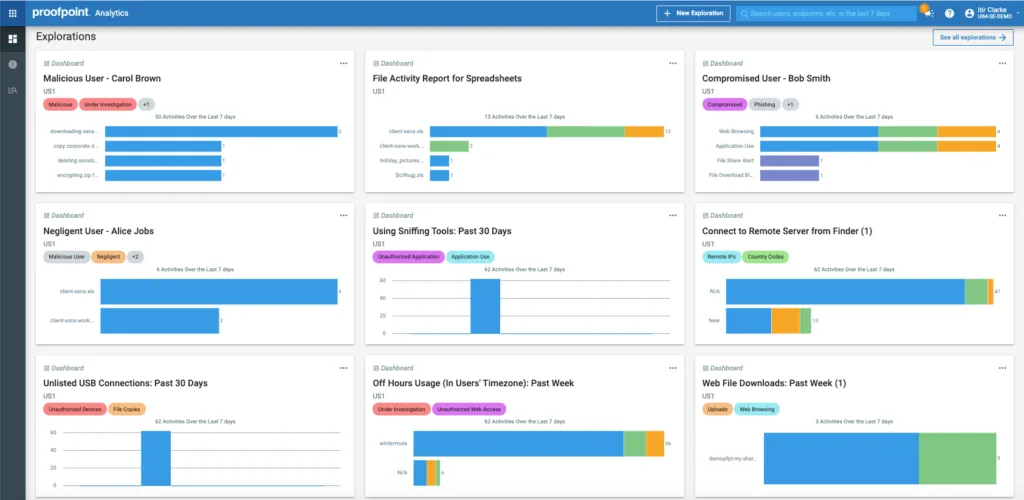
Proofpoint’s DLP solution brings detailed content analysis, granular policy control, and strong real-time monitoring across email, cloud apps, and endpoints. It provides deep forensic reporting that helps teams investigate incidents and demonstrate compliance.
Features:
- Email security integration provides the deepest visibility into email-based data loss risks. The platform analyzes email content, attachments, headers, and recipient behavior to identify legitimate threats.
- Threat intelligence feeds from Proofpoint's global network inform DLP policies. The system knows about current phishing campaigns, compromised accounts, and attacker tactics, connecting data protection with broader threat defense.
- Channel coverage extends across email, cloud applications, endpoints, and network traffic. Centralized policy management ensures consistent protection regardless of where data lives or how users share it.
- Advanced content analysis examines file metadata, embedded objects, and document structure beyond simple pattern matching. It can detect sensitive data hidden in image files, identify documents created from specific templates, or flag files with unusual encryption.
- User behavior analytics establish baselines for normal data handling and flag anomalies. When an employee who normally shares 5 files weekly suddenly uploads 500 documents to a personal cloud account, the system recognizes the deviation.
Best for:
- Regulated industries (finance, healthcare, legal)
- Complex compliance needs
- Detailed event reporting
2. Endpoint Protector – Best Endpoint-First DLP
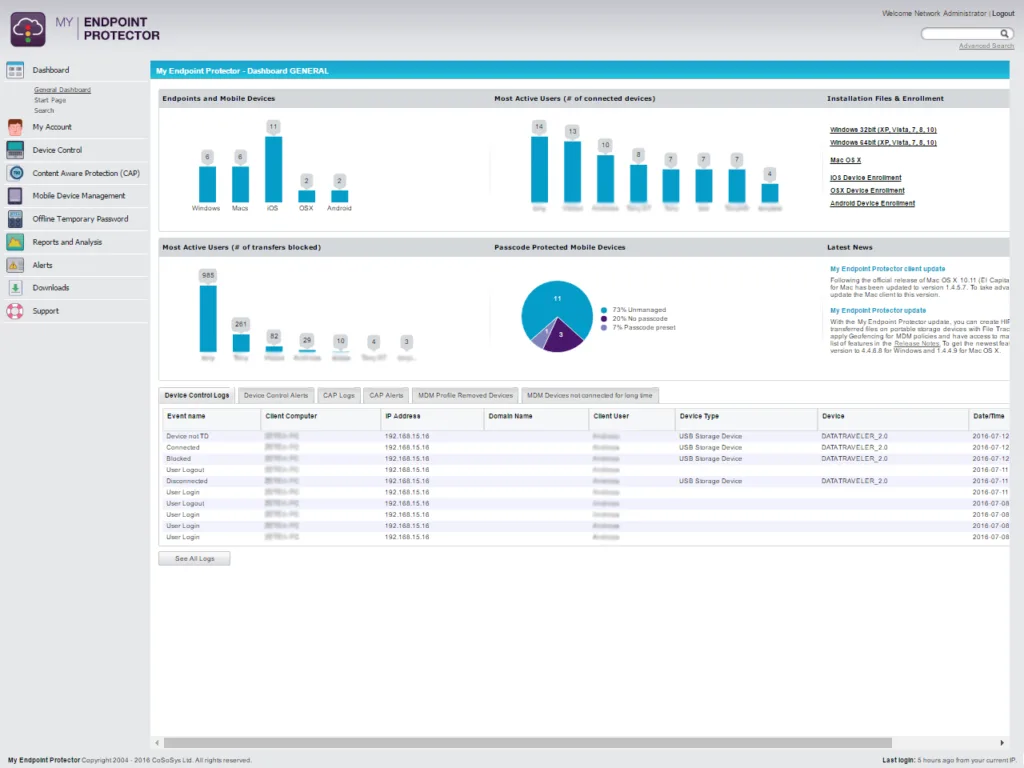
Endpoint Protector focuses on controlling sensitive data on devices and removable media. Its strengths lie in device control, policy enforcement, and monitoring data flows at the endpoint level.
Features:
- Multi-OS excellence sets Endpoint Protector apart. Full feature parity across Windows, macOS, and Linux means consistent protection regardless of what devices your team uses. Organizations with mixed environments finally get unified policy enforcement without platform-specific workarounds.
- Device control granularity provides precise management of USB drives, printers, Bluetooth, smartphones, and 45+ device types. Policies can vary by vendor ID, product ID, serial number, user, computer, or group. Allow your design team to use external drives while blocking them for finance staff.
- Temporary access feature solves the common DLP frustration of needing exceptions. Administrators can grant time-limited permissions from 30 minutes to 30 days for specific devices or data transfers. Field workers get the flexibility they need without permanent policy changes.
- Enforced encryption automatically protects data copied to approved USB devices using AES 256-bit encryption. Users can transfer files to removable media when needed, but the data stays encrypted if the device gets lost or stolen.
- Content-aware protection monitors file transfers across clipboard, screen captures, email, messaging apps, cloud services, and more. N-gram-based text categorization accurately identifies intellectual property including source code across hundreds of file formats.
- Compliance templates cover GDPR, HIPAA, PCI DSS, NIST, CCPA, and other regulations. Deploy pre-configured policies matching regulatory requirements instead of building detection rules from scratch. Automated reporting generates audit documentation.
Use case:
- Organizations primarily concerned with endpoint leaks
- Device-level data control and compliance
3. Symantec DLP – Best for Broad Enterprise Coverage
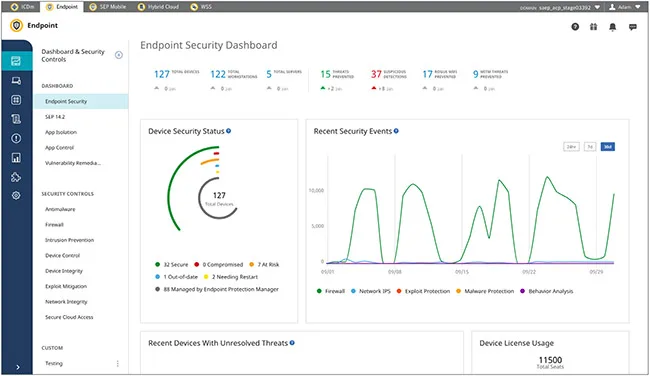
Ideal for:
- Large enterprises
- Complex hybrid infrastructures
- Centralized security management
4. Zscaler Unified Data Protection
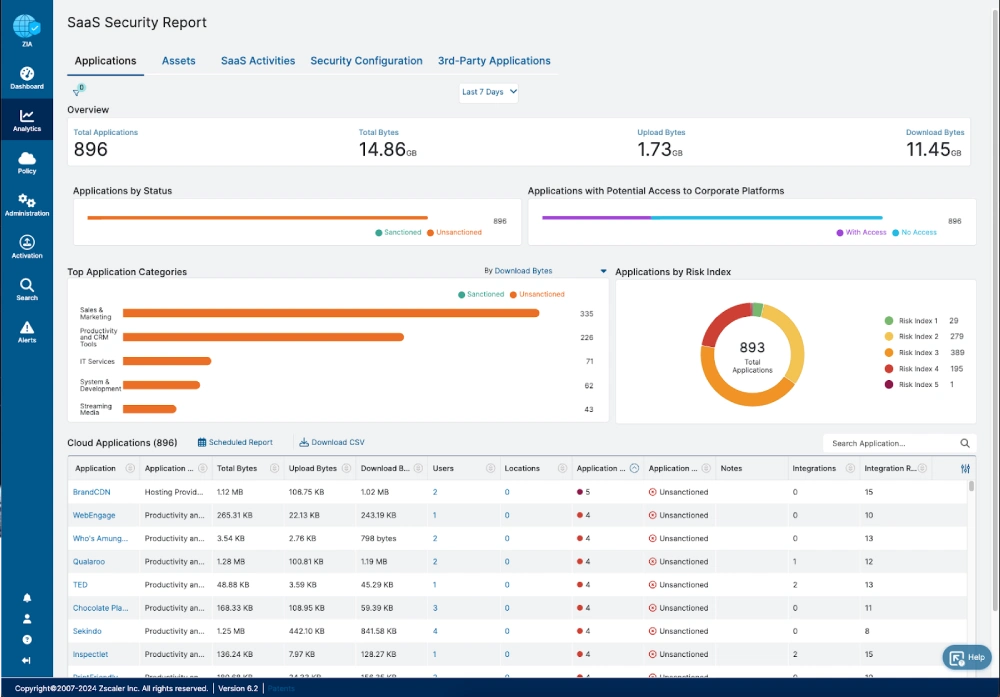
Zscaler brings detailed content analysis, granular policy control, and strong real-time monitoring across all internet traffic. It provides deep forensic reporting that helps teams investigate incidents and demonstrate compliance. As a leader in the Security Service Edge (SSE) space, it acts as a gatekeeper for everything your employees do online.
Features:
- Inline inspection monitors data packets as they move across the network to identify and block unauthorized transfers. It provides a single point of control for all web and cloud traffic.
- SSL and TLS decryption allows the system to see inside encrypted traffic where most modern data leaks occur. It ensures that hackers cannot hide sensitive data within encrypted tunnels.
- Unified policy management enables you to set one rule that applies to web, cloud, and email channels simultaneously. This consistency reduces the chance of a configuration error leaving a gap in your security.
- Granular web control lets you restrict access to specific categories of websites or high risk applications. You could allow users to visit a site while blocking them from uploading any files.
- Advanced threat protection integrates with the broader Zscaler ecosystem to block malware and phishing attempts alongside data loss prevention. It creates a comprehensive shield for your entire network.
Best for:
- Large global enterprises
- Consolidating network security stacks
- High volume web traffic monitoring
5. Netskope One DLP
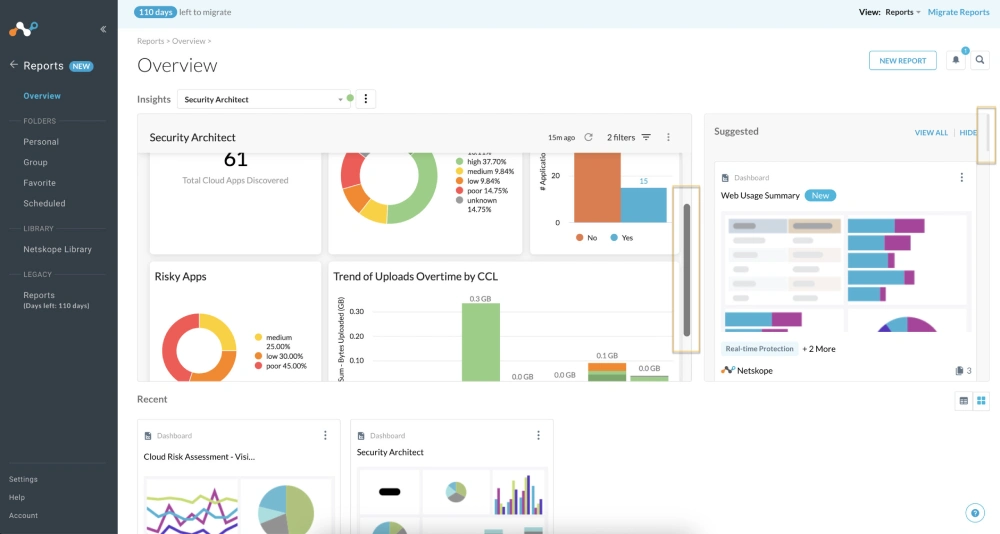
Netskope brings detailed content analysis, granular policy control, and strong real-time monitoring across cloud applications and web traffic. It provides deep forensic reporting that helps teams investigate incidents and demonstrate compliance. It focuses heavily on the Cloud Access Security Broker (CASB) model to manage shadow IT.
Features:
- Shadow IT discovery identifies every unauthorized application your employees use and assesses their risk level. It helps you find hidden data silos that your IT department might not know about.
- Context aware policies look at more than just keywords to determine if a data transfer is risky. The system considers the user, the device, and the destination before allowing an action.
- User behavior analytics (UBA) establishes a baseline of normal activity for every employee and flags anomalies. If a user suddenly downloads more data than usual, the system alerts your security team.
- Multi tier scanning uses multiple engines to inspect files for PII, PHI, and sensitive company documents. This increases the accuracy of detection and reduces the number of false alerts.
- Adaptive access control adjusts permissions in real time based on the security posture of the device. A user on a personal laptop might have fewer permissions than when they are on a company machine.
Best for:
- Managing shadow IT risks
- Cloud first organizations
- Detailed user behavior monitoring
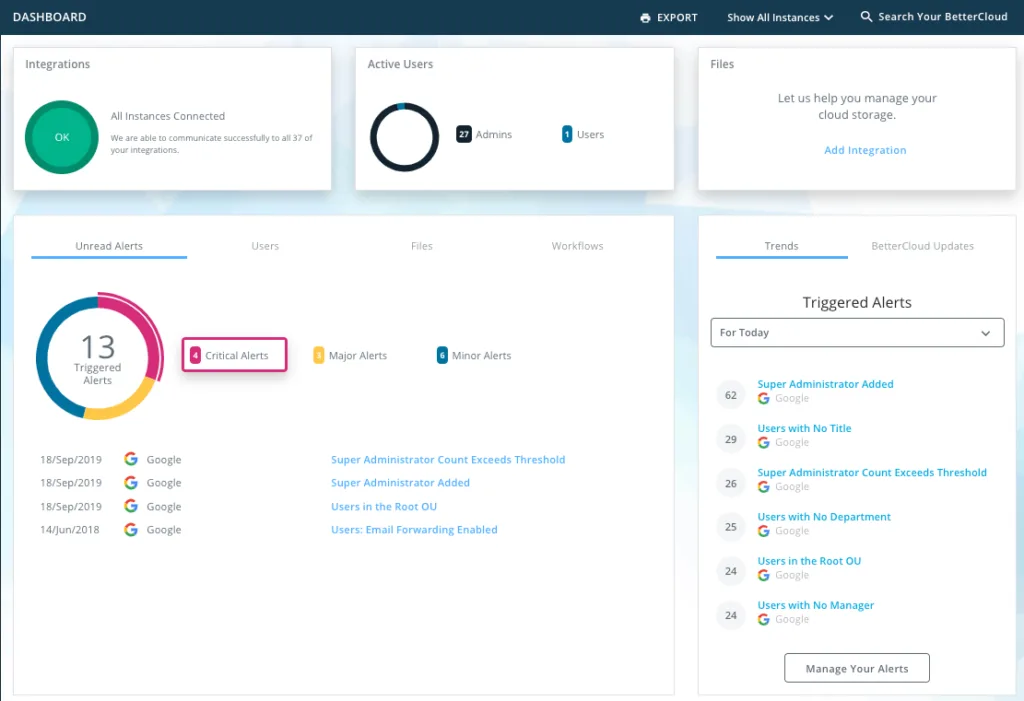
6. BetterCloud
Features:
- Automated offboarding workflows revoke access to all company applications instantly when an employee leaves. This prevents former staff from accessing or taking sensitive data with them.
- Application permission management identifies which third party apps have access to your core data and allows you to revoke them centrally. It stops "app sprawl" from creating security vulnerabilities.
- Data discovery in Google Workspace and Microsoft 365 scans your cloud storage to find overexposed files. It highlights documents that are shared publicly or with the wrong internal groups.
- Direct API integrations connect to hundreds of SaaS tools to provide a single dashboard for your IT operations. You could manage Slack, Zoom, and Salesforce from one interface.
- Compliance reporting generates audit ready documentation showing who has access to what data. This simplifies the process of meeting regulatory requirements during annual audits.
Best for:
- IT operations teams
- Automated employee lifecycle management
- Centralizing SaaS administration
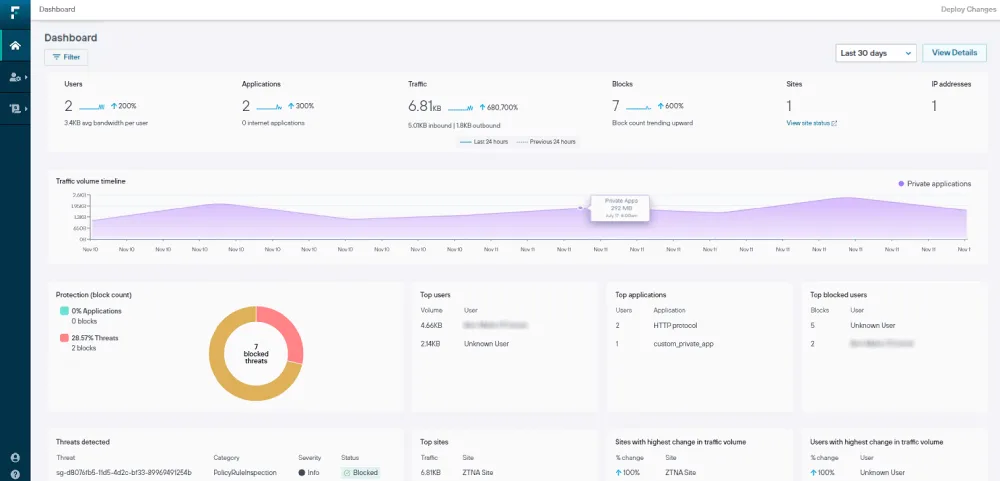
7. Forcepoint DLP
Features:
- Predefined policy templates include over 1,700 rules that cover various industries and international regulations. You can get your compliance program running quickly by using these established standards.
- Exact Data Match (EDM) allows the system to look for specific records from your database rather than just general patterns. It ensures that the system only alerts you when actual customer data is at risk.
- Risk adaptive protection assigns a risk score to every user and automatically increases security when behavior becomes suspicious. This dynamic approach focuses resources on the highest threats.
- Optical Character Recognition (OCR) identifies sensitive text within images, such as screenshots of bank statements or photos of IDs. This prevents users from bypassing security by taking pictures of data.
- Fingerprinting technology tracks specific sensitive documents even if they are renamed or partially modified. It protects your most valuable intellectual property across its entire lifecycle.
Best for:
- Highly regulated industries
- Complex hybrid environments
- Organizations requiring high customization
8. Microsoft Purview
Features:
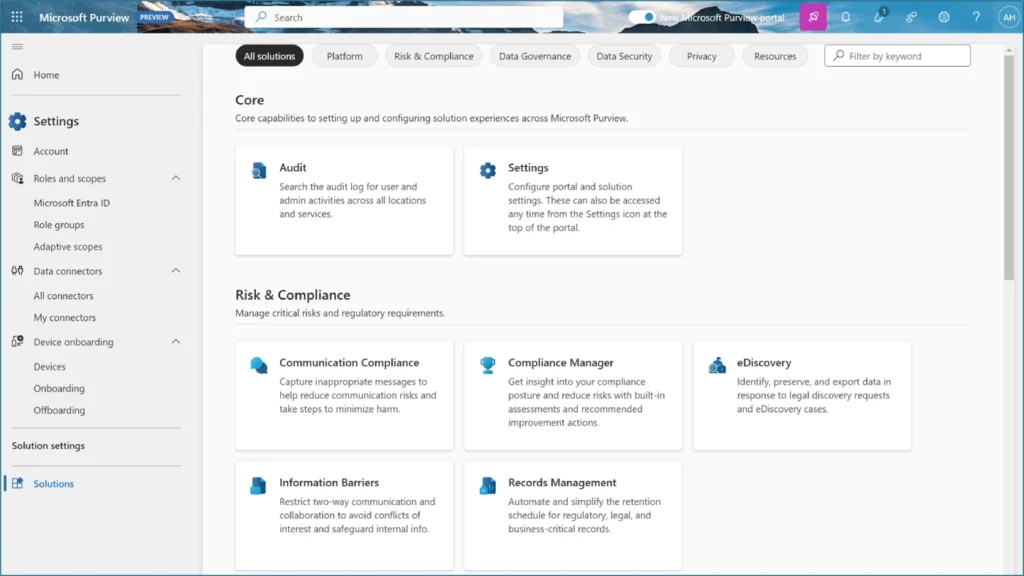
- Sensitivity labels allow users or the system to mark documents based on their level of confidentiality. These labels persist with the file even if it leaves the company network.
- Native integration with Office 365 ensures that data protection happens directly within Word, Excel, and Teams. Employees do not have to learn new tools to remain secure.
- Compliance Manager provides a score that shows how well your organization meets specific regulatory standards. it suggests concrete steps to improve your security posture.
- Insider risk management looks for signs of data theft or harassment within your communication channels. It uses AI to identify patterns that might indicate a disgruntled employee.
- Double Key Encryption gives you total control over your encryption keys so that not even Microsoft can access your data. This is critical for organizations with the highest privacy requirements.
Best for:
- Microsoft-centric enterprises
- Organizations with existing E5 licenses
- High volume document labeling
9. Varonis Data Security Platform
Features:
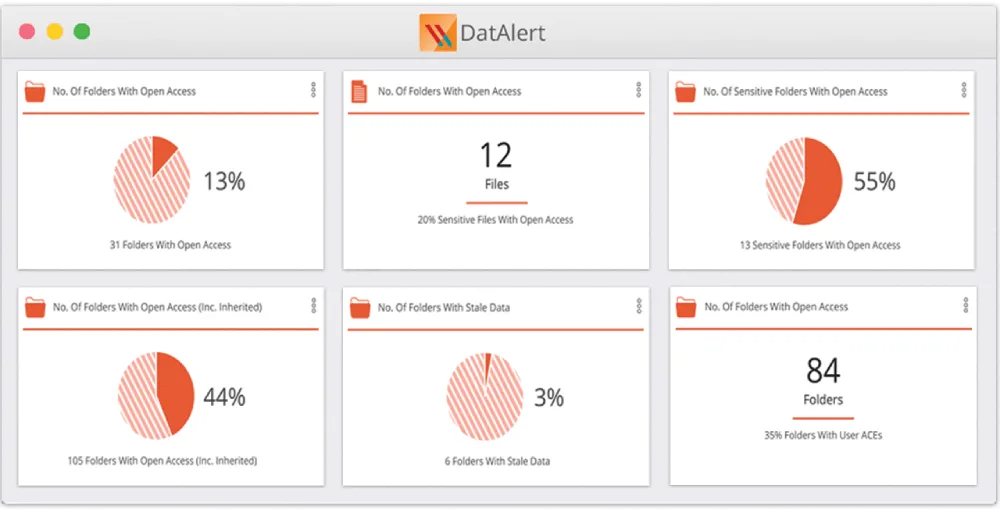
- Permission mapping shows you exactly who can access every folder and file in your company. It highlights areas where too many people have access to sensitive information.
- Automated remediation fixes security issues like global access groups or broken permissions without manual intervention. It constantly works to shrink your attack surface.
- Threat detection uses machine learning to identify ransomware attacks or mass file deletions in real time. It can automatically lock out compromised accounts to stop an active breach.
- Data classification identifies where your most sensitive data lives across on-premises and cloud environments. It provides a heat map of your biggest risks.
- Active Directory monitoring tracks changes to user permissions and group memberships to prevent unauthorized escalation. It ensures that your identity management remains secure.
Best for:
- Protecting large file servers
- Detailed permission auditing
- Preventing ransomware and internal threats
10. Metomic
Features:
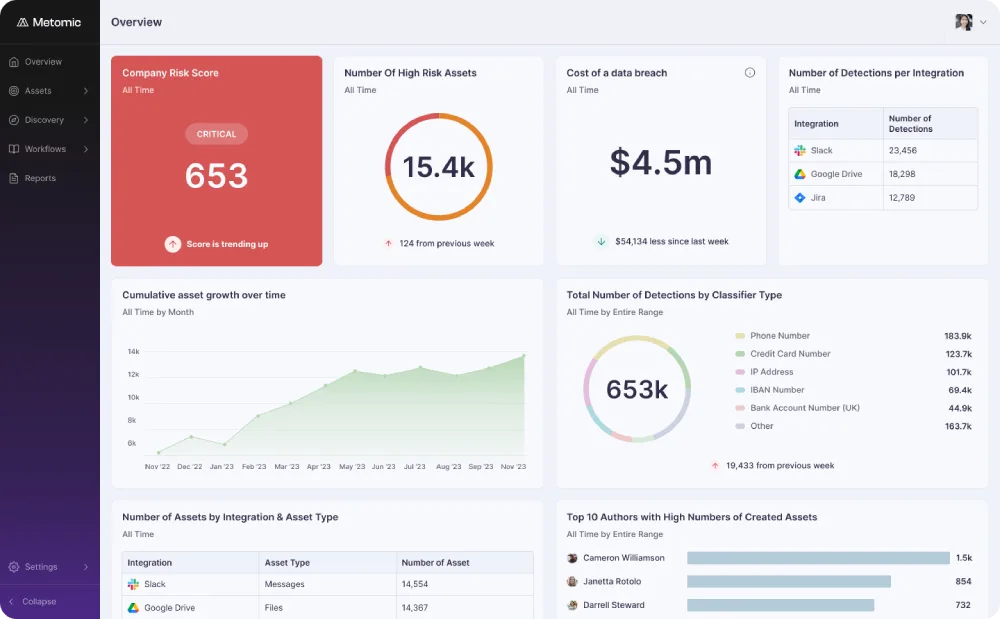
- Real time SaaS scanning connects to your applications via API to find sensitive data in messages and files. It provides immediate visibility into your current exposure.
- Employee coaching sends automated messages to users when they share something risky. It teaches them about security policies in the moment they are most relevant.
- Privacy dashboard gives you a bird's eye view of your data risk across all connected apps. You can see which apps contain the most PII at a glance.
- Automated PII removal can redact or delete sensitive information after a set period. This helps you comply with data retention policies and "right to be forgotten" requests.
- Low friction setup allows you to protect a new application in minutes without needing a technical background. It is designed for fast moving companies that add new tools frequently.
Best for:
- Mid-market companies
- Fast-growing startups
- Organizations prioritizing ease of use
Metomic stands out when you need a straightforward solution to clean up your SaaS data without a complex rollout.
11 Polymer DLP
Features:
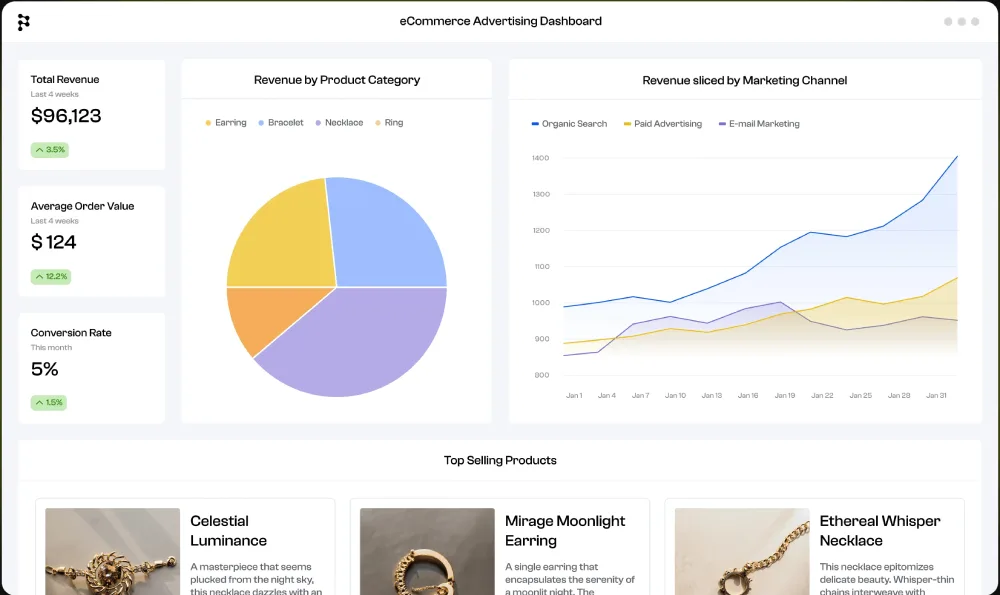
- Real time masking hides sensitive data as a user types it into a chat or a prompt. This ensures that the platform provider never sees the raw sensitive information.
- Behavioral nudges provide instant feedback to users when they attempt a risky action. This reduces the number of future violations by educating the workforce.
- Natural Language Processing (NLP) understands the intent behind a message to reduce false positives. It can distinguish between a benign number and a credit card based on context.
- Low noise alerts ensure that your security team only sees the most important incidents. It filters out common business activities that might trigger other systems.
- Gen AI safety controls specifically manage what data can be sent to large language models. This prevents sensitive company data from being used to train public AI models.
Best for:
- Slack and Teams heavy cultures
- Improving security awareness
- Managing Gen AI risks
12. DoControl
Features:
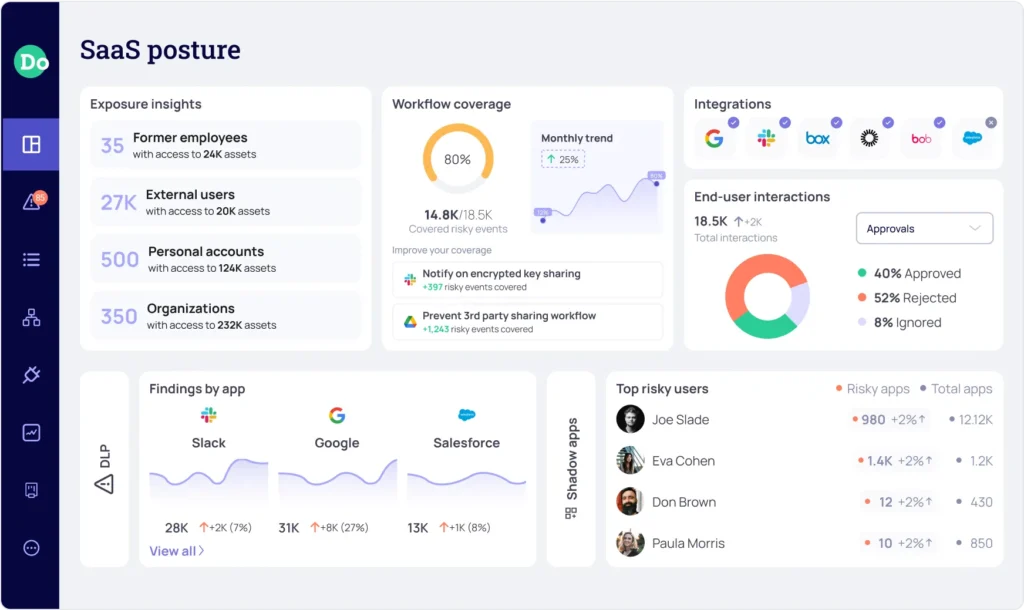
- Automated share revocation identifies public or external links and cancels them after a certain amount of time. This prevents sensitive files from remaining accessible on the open web forever.
- Access lifecycle management tracks how data is shared from the moment it is created until it is deleted. It ensures that permissions are always up to date.
- Context aware workflows allow you to create complex security rules based on user roles and data types. For example, you could allow the HR team to share files externally while blocking the engineering team.
- No agent requirement means you can secure your data without installing any software on employee devices. This makes it very easy to manage data security for partners and contractors.
- Shadow IT remediation identifies when a user shares company data with an unsanctioned application and stops the transfer. It helps close the gaps created by employee "workarounds."
Best for:
- Automated access governance
- Organizations with heavy external collaboration
- Preventing long-term data exposure
13. Safetica
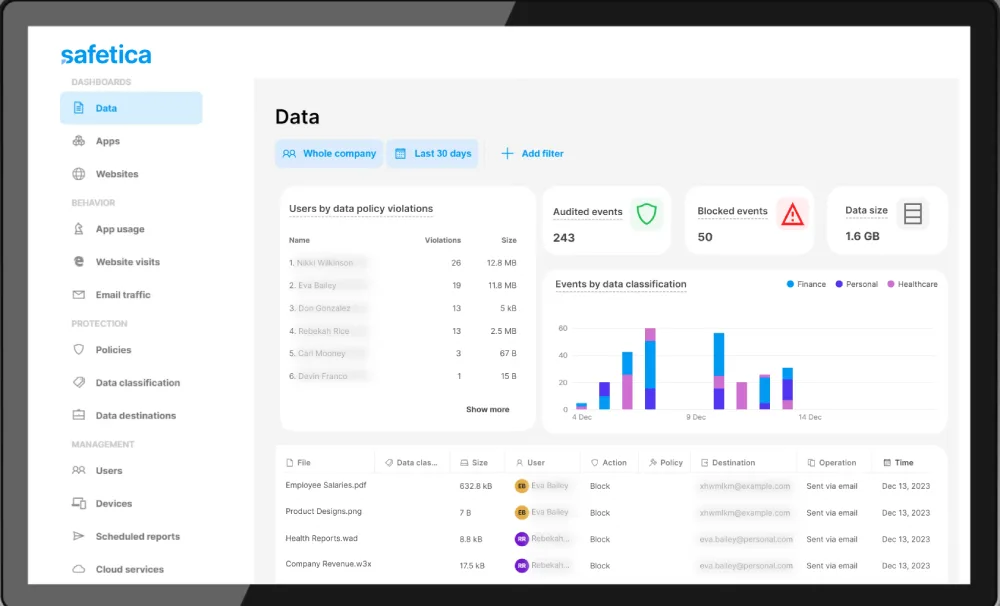
Safetica brings detailed content analysis, granular policy control, and strong real-time monitoring across your endpoints and cloud environments. It provides deep forensic reporting that helps teams investigate incidents and demonstrate compliance. It combines DLP with insider risk management for a complete picture of data safety.
Features:
- Workspace analysis tracks how employees use their time and which applications they interact with most. It helps identify unproductive or risky behavior before it leads to a breach.
- Combined DLP and IRM provides a single console to manage both data leaks and internal threats. This consolidation saves time for small security teams.
- Regulatory templates include pre built rules for GDPR, HIPAA, and PCI-DSS. You can demonstrate compliance to auditors with very little manual effort.
- Lightweight agents run quietly in the background without affecting the performance of the user's computer. It provides protection even when the device is offline.
- File flow monitoring shows the entire journey of a piece of data as it moves through your organization. You can see who created it, who changed it, and where it was sent.
Best for:
- Small to medium businesses
- Identifying insider threats
- Unified risk management
Why You Should Evaluate Your Current DLP Strategy
The security landscape in 2026 requires more than just reactive scanning. You must assume that any data reaching a SaaS server is potentially exposed. If your current tool only tells you about a leak five minutes after it happened, you are already too late. You need to look for solutions that offer edge based protection.
You might find that a combination of tools works best for your organization. For example, you could use Kitecyber Data Shield for real time prevention in the browser and Varonis for deep data governance on your file servers. This “defense in depth” strategy ensures that no single point of failure exists in your security plan.
Your next step is to run a risk assessment on your most critical applications. Determine where your most sensitive data lives and who has access to it. You can then test these NightFall Alternatives against your specific use cases. Most of these vendors offer trials or risk scans that show you exactly what data you are currently exposing.